Sequence 2.0
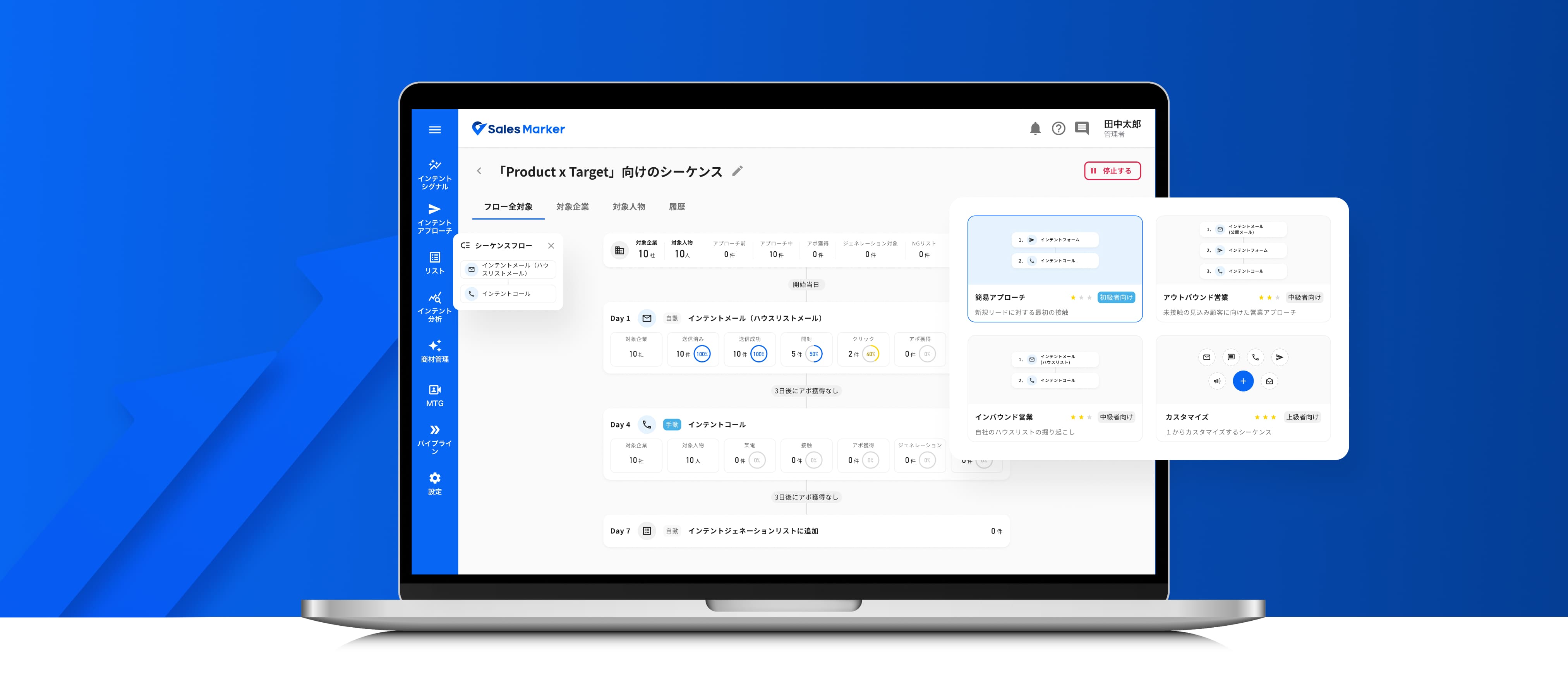
Sequence
Sequence is a workflow automation feature designed for sales teams.
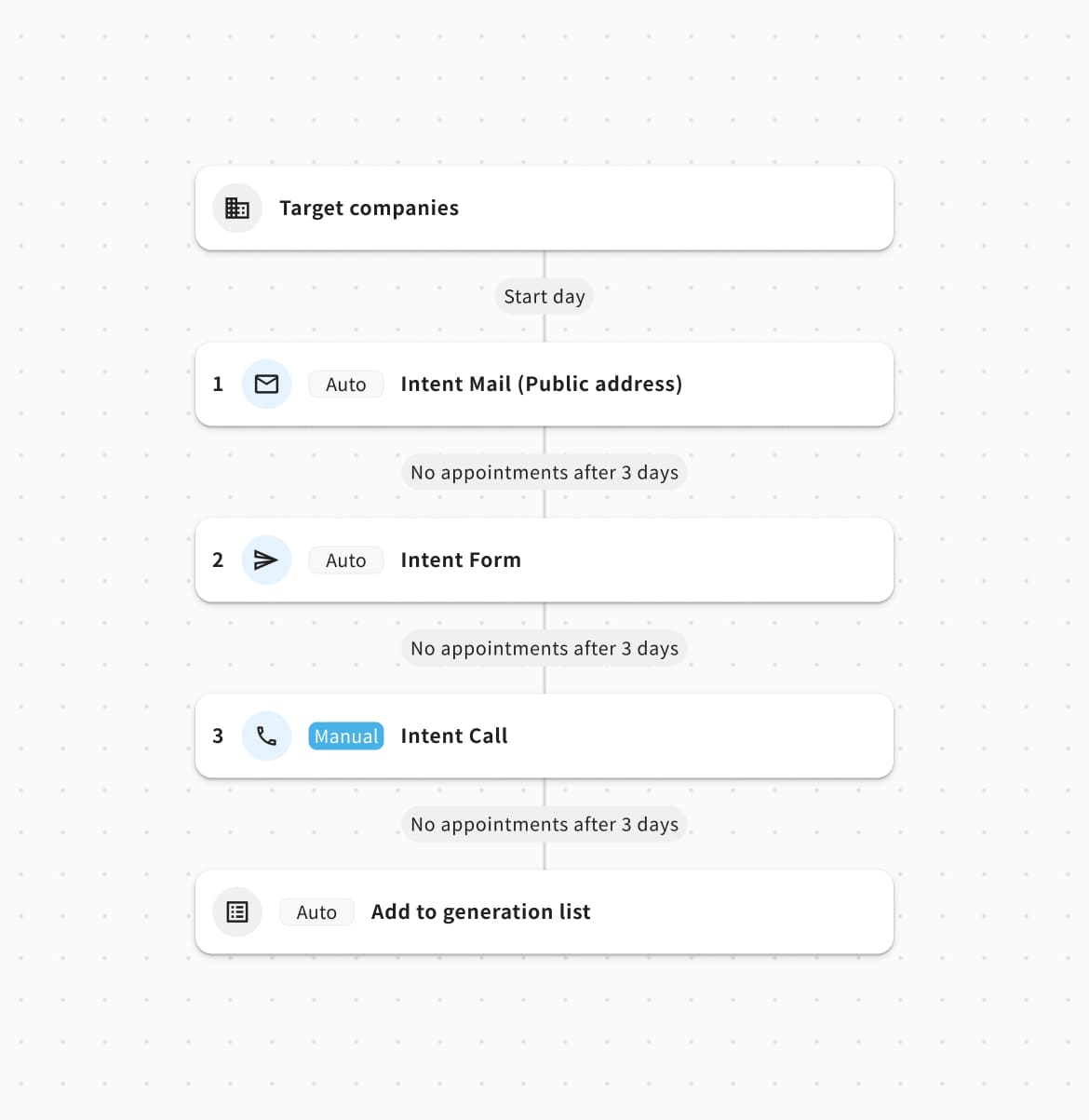
It allows Sales to define a series of outreach actions — such as emails, calls, forms, or ads — with specific timing and conditions.
What makes Sequence particularly valuable within Sales Marker is that these workflows can leverage customer intent data. Instead of simply reaching out to a fixed list of prospects, sales teams can react to signals that indicate a company may be interested in their product.
Manual & hard to scale
While AI-powered sales automation is rapidly expanding globally, sales teams in Japan still largely rely on individual experience and intuition for outreach.
This makes it difficult to build a consistent, scalable sales process, especially when structuring prospecting activities and responding to customer needs.
Feedback from Sales Marker customers revealed recurring challenges across the sales process:
Sales information was spread across multiple tools, making it difficult to build a consistent and efficient workflow.
Effective outreach often depended on the individual experience and skills of each salesperson, making successful approaches difficult to reproduce.

Sales teams struggled to identify which companies to prioritize, who to contact, and when to reach out.

Sales teams spent significant time researching companies and building prospect lists manually.
Sequence 1.0
First solution
Sequence v1 was our first iteration of the Sequence experience launched in January 2025. It allowed us to validate the concept and learn from real-world usage.
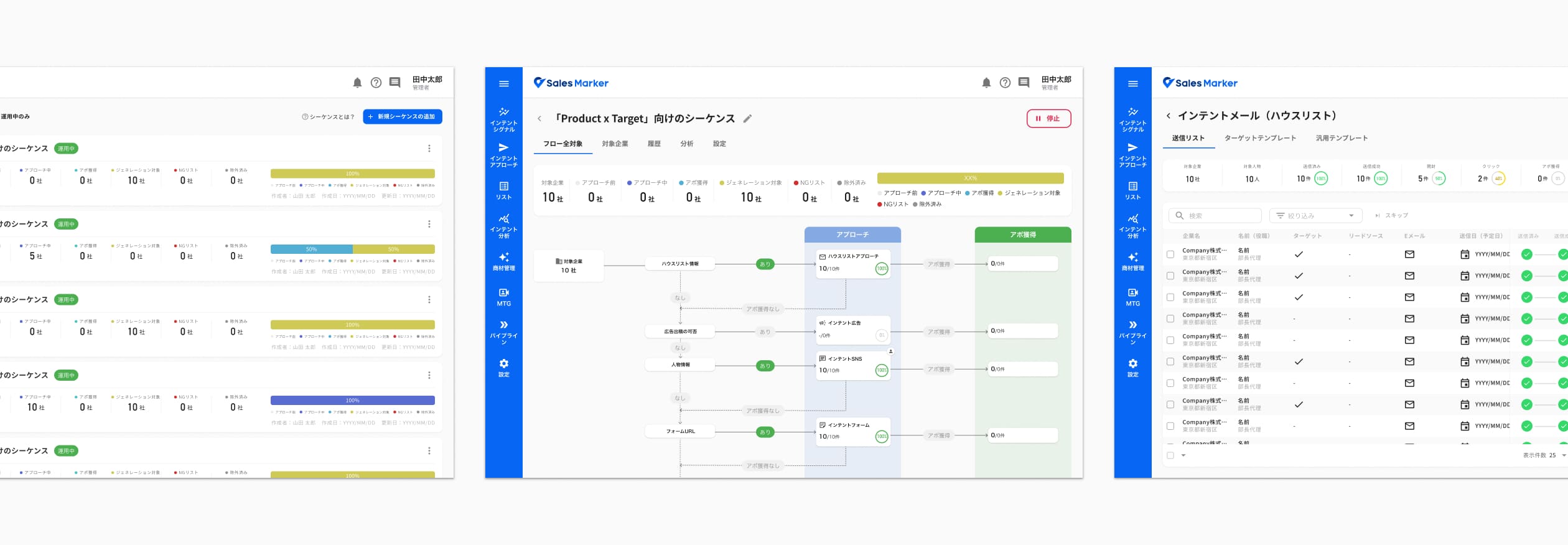
Key usability issues
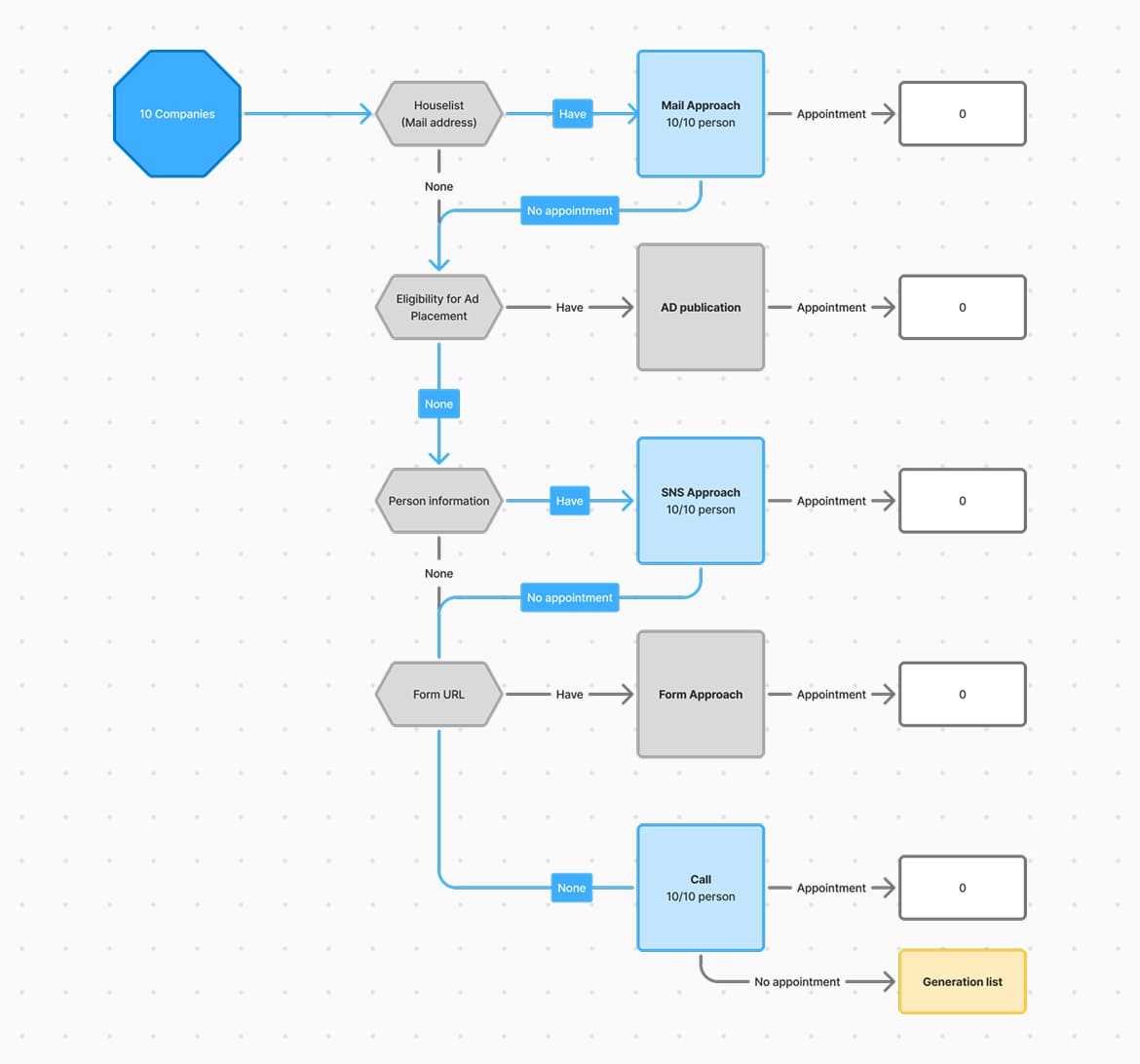
Feedback from users highlighted several usability issues in the existing experience, which helped shape the redesign.
Difficult to follow
The layout required users to read both vertically and horizontally to understand the execution path.
Limited flexibility
The steps were fixed, limiting users' ability to adapt a sequence to their own sales process.
Unclear interactions
Although each node was clickable, it was not clear that users could access or configure its settings.
Sequence 2.0
Based on user feedback from Sequence 1.0, I led the redesign of the functionality as the sole Product Designer on the Approch team.
- RoleLead Product Designer
- Team1 PDM · 2 FE · 2 BE · 1 QA
- Timeline10 months — Sequence 2.0 launch
10 months — Post-launch improvements
Business goal
Increase Sequence adoption and encourage more companies to integrate it into their outreach workflow.
Baseline
16.4% of companies created Sequence 1.0
(25 jan. 2025)
Success metrics
- % of companies creating a Sequence
- % of created Sequences becoming active
- Appointments generated through Sequence
Competitive analysis
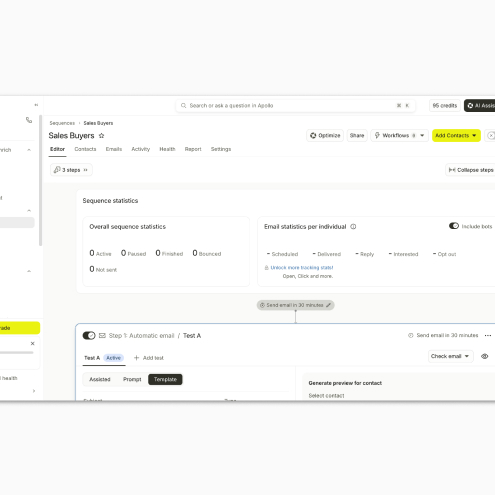
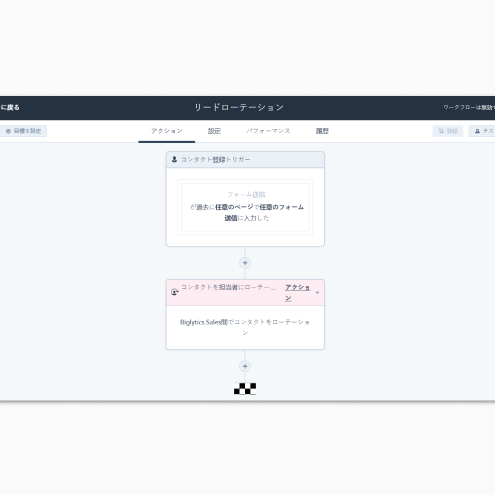
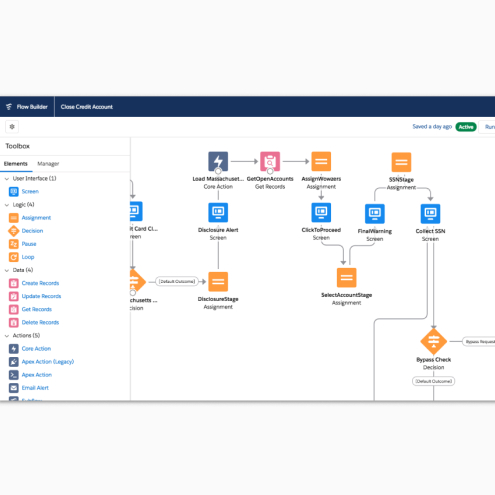
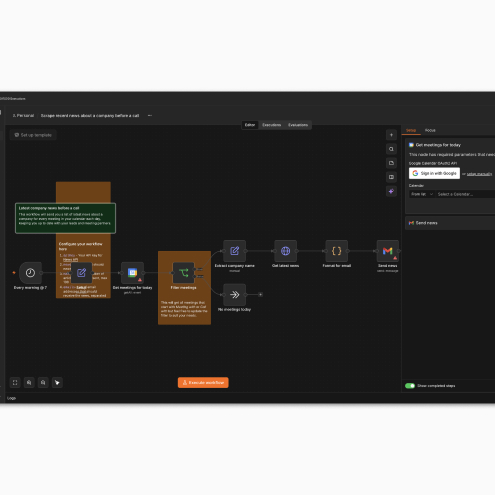
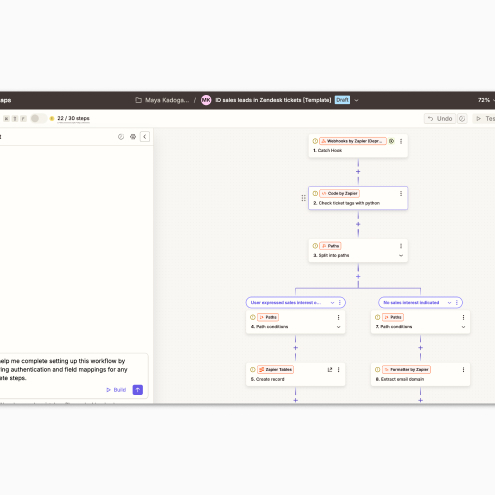
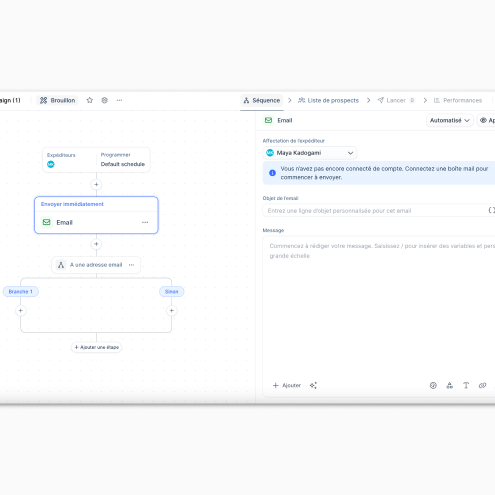
❌ n8n, Salesforce Flow Builder
- Very flexible workflow construction
- Powerful but complex logic
- Too technical for sales users
❌ Zapier
- Easy-to-understand UI for adding steps
- Complex logic: multiple conditions and branching paths
✅ Apollo, Lemlist, HubSpot
- Series of outreach steps executed over a defined period
- Clear execution order
- Step-by-step configuration
💭 Exploration
Target configuration is handled separately from the workflow itself, generally after the flow
Explored ideas
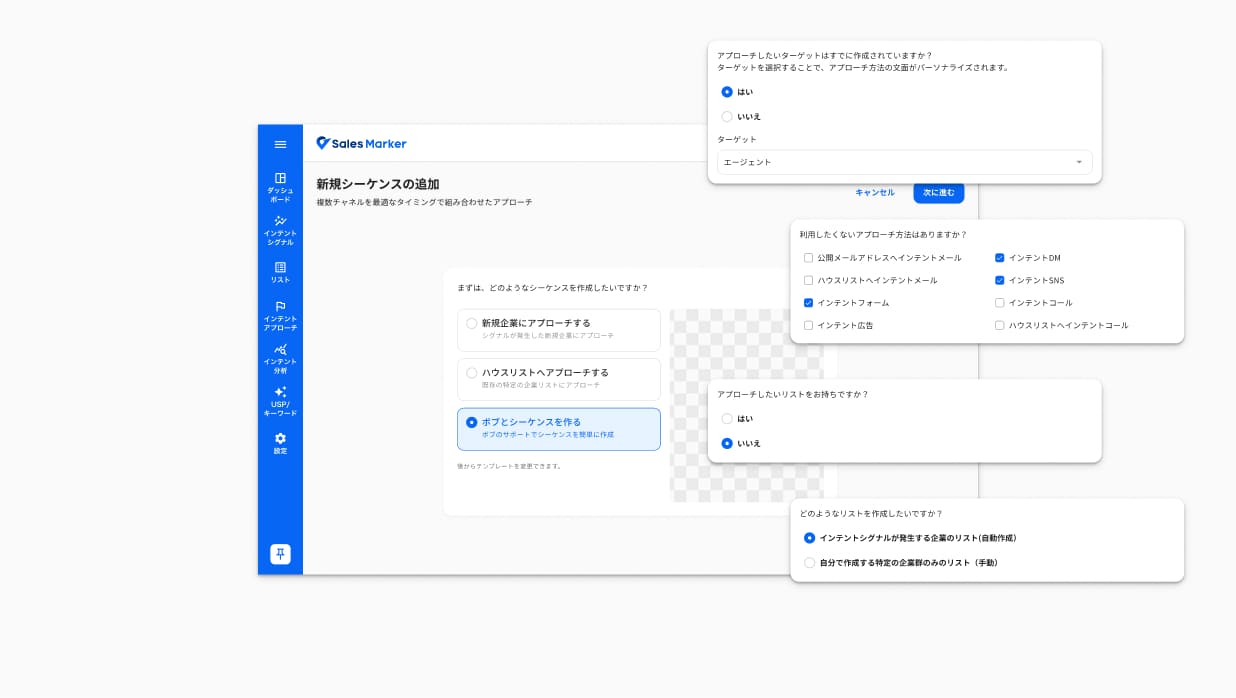
Guided setting
I explored a questionnaire-based setting to help users define their sequence without knowing how to build it.
- Time-consuming
- Too beginner-oriented
- Limited flow visibility
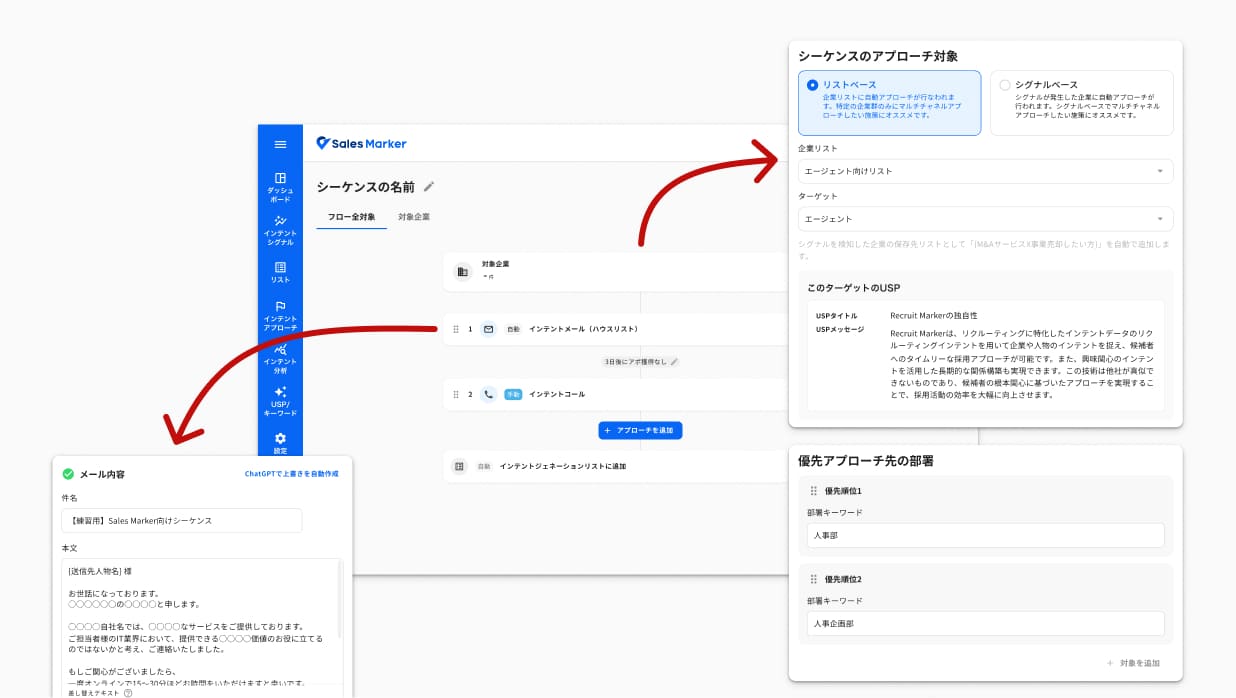
Flexible setting
I explored how sequence parameters could be configured directly from the flow, without any specific order or forced user journey.
- Direct access to the flow (competitor-inspired)
- Low discoverability
- Missed configurations
Explored ideas
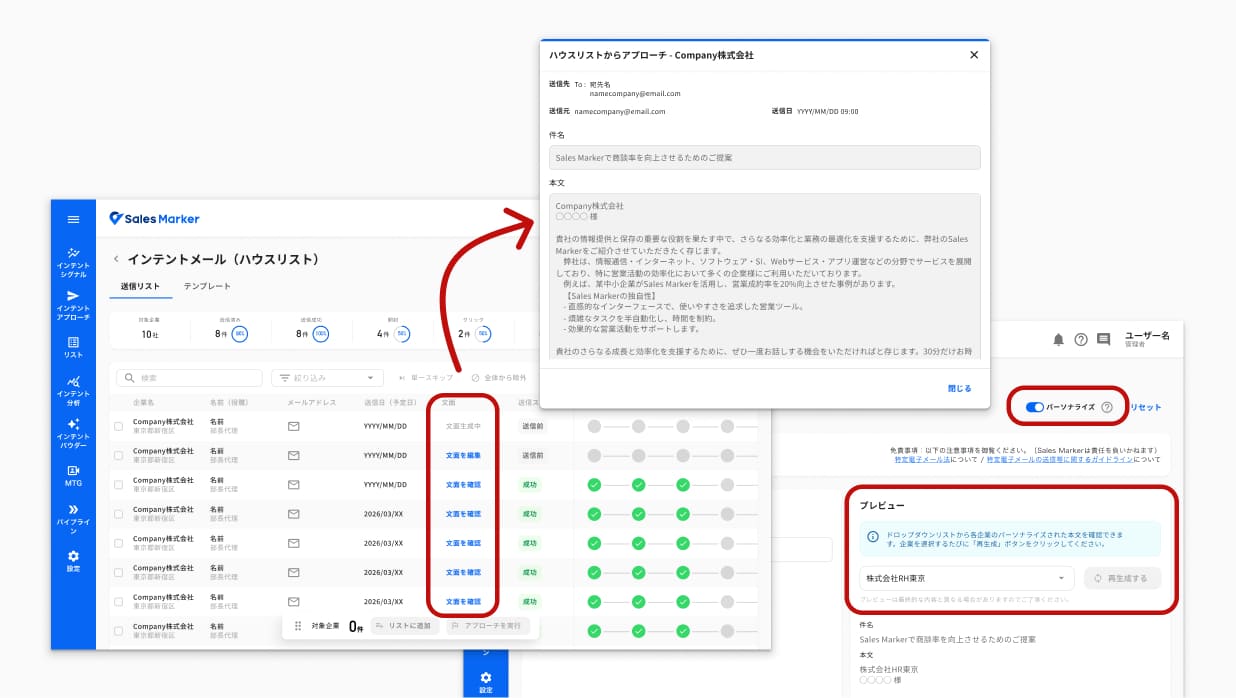
Personalized mail
As part of a request from the executive team to integrate AI into email generation, I looked into ways to add a personalization option.
- Technically complex
- Slow generation (24h)
- Limited user value
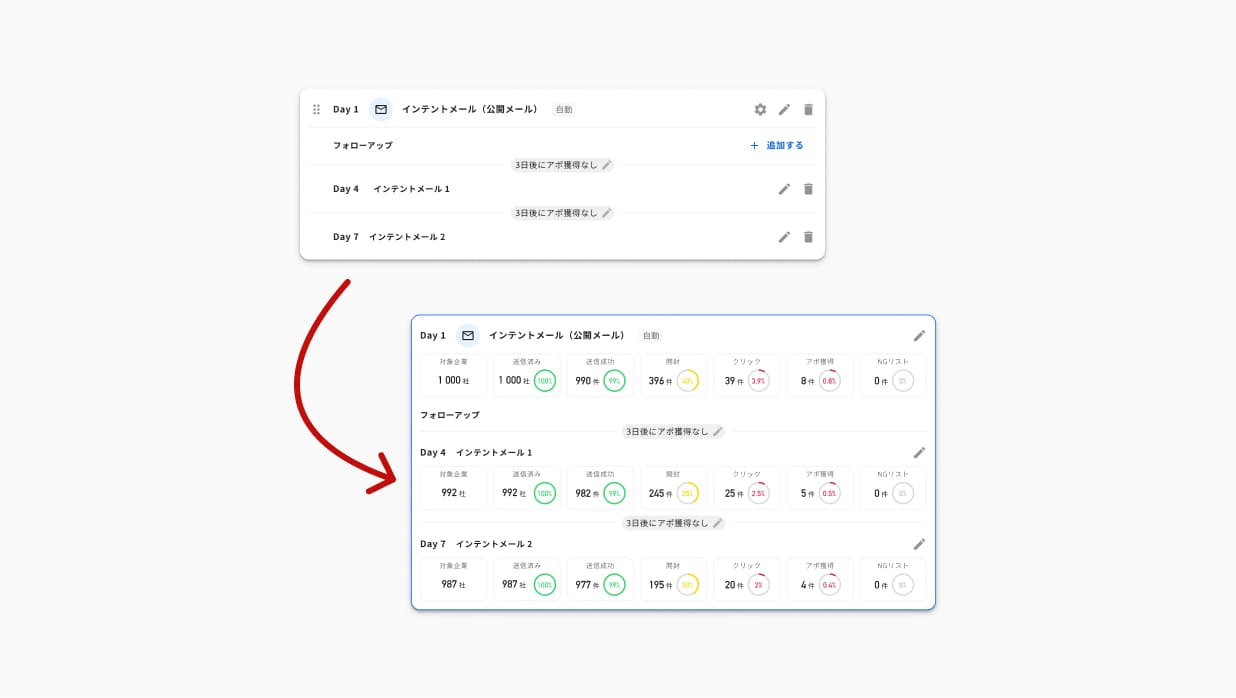
Node
I tested how a node and its follow-up could be represented before and after a sequence activation.
- Heavy configuration
- Added complexity
- Competitor pattern: separate node
Tested prototype
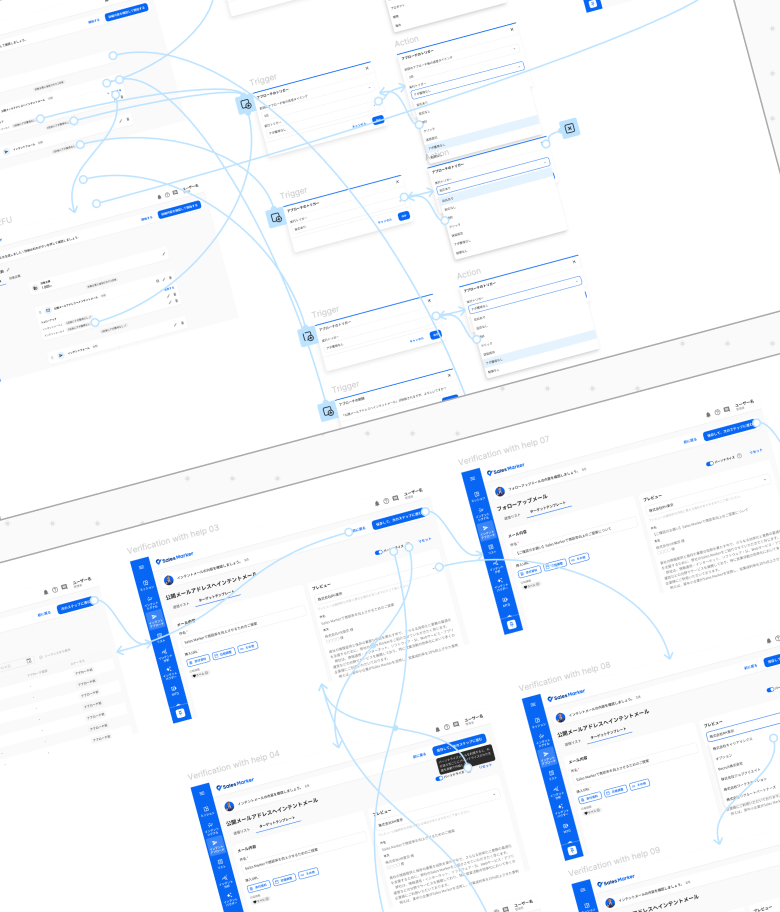
I leveraged Sales’ regular customer meeting to test the new interface directly with users. Their familiarity with the product and business goals provided concrete feedback and helped identify relevant improvements.
What I tested
- One-step target setting
- Vertical flow builder: simple when inactive, with data when active
- Pre-activation verification step
What I learn
- Need for templates: Users understood their business goals but did not always know how to structure a sequence.
- Clear execution order: Users understood the sequence more easily when steps were presented vertically, in the order in which each approach would be executed.
- Keep it simple: Users struggled to understand when and why to create follow-up conditions
Sequence 2.0: First launch
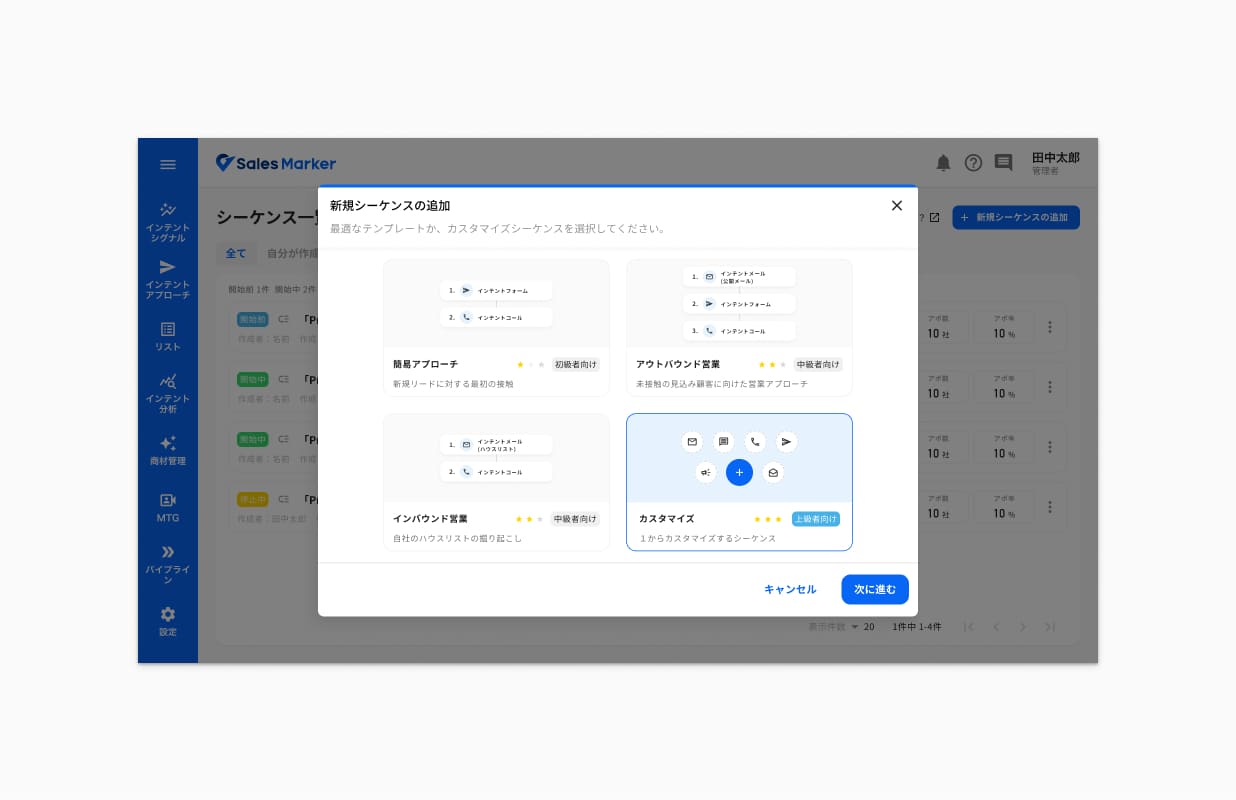
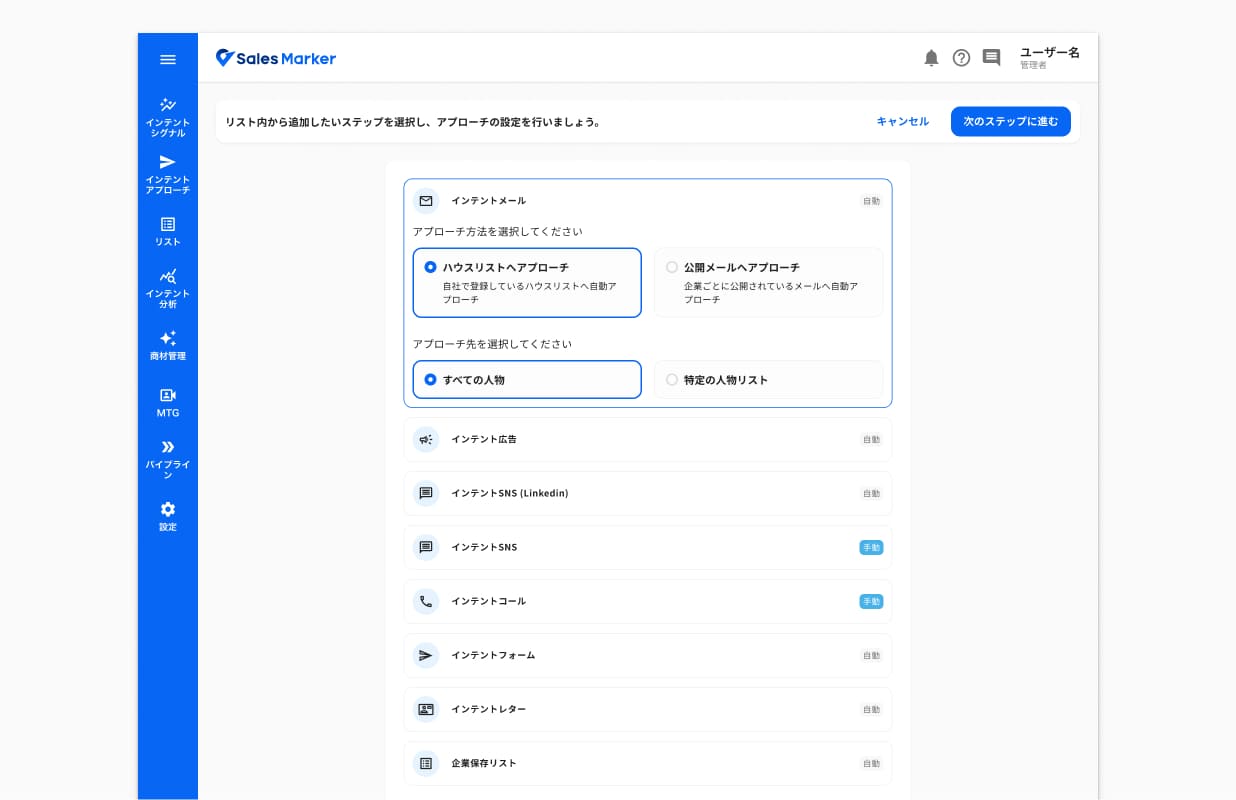
Templates
Templates based on 3 business objectives are provided to make Sequence creation easier and inspire users when building their flow. Users can also choose to start from scratch.
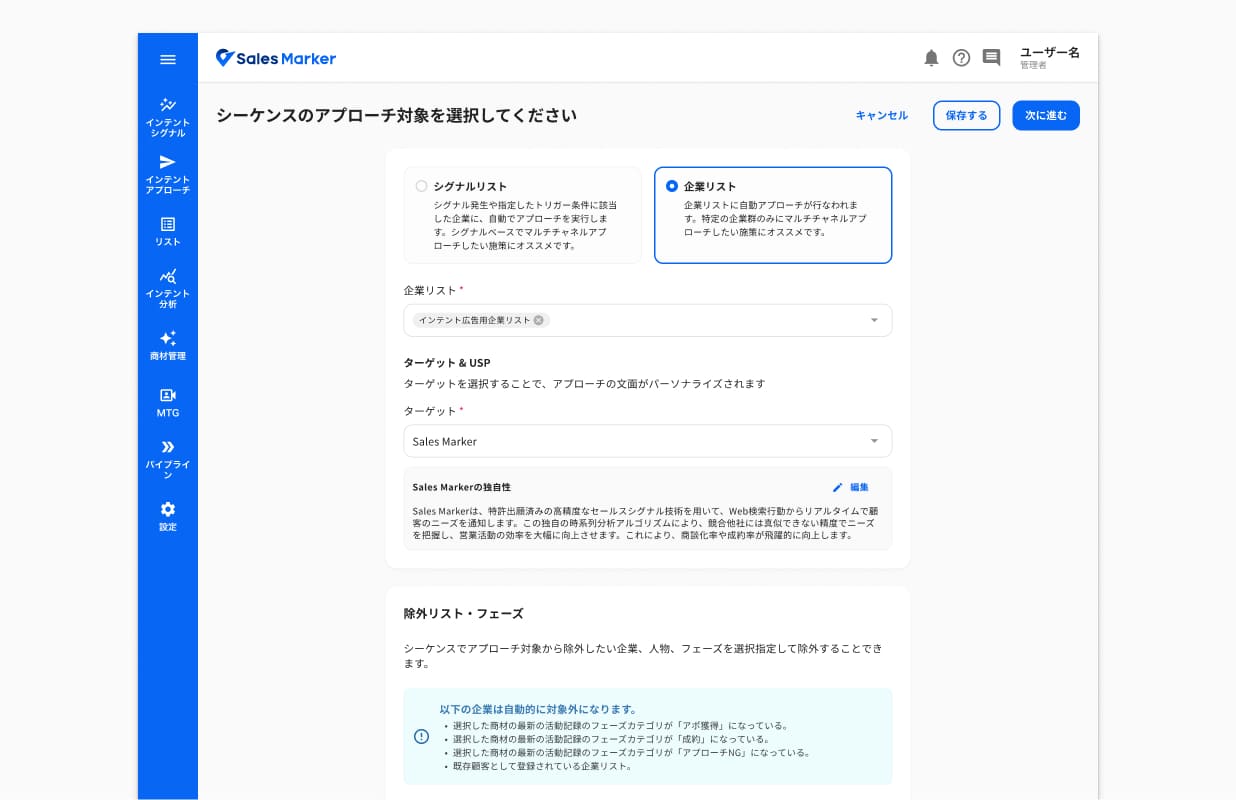
Settings
I simplified the creation flow with a one-step, target-based configuration. Settings unrelated to targeting were moved to dedicated features, making the overall configuration more streamlined.
Sequence 2.0: First launch
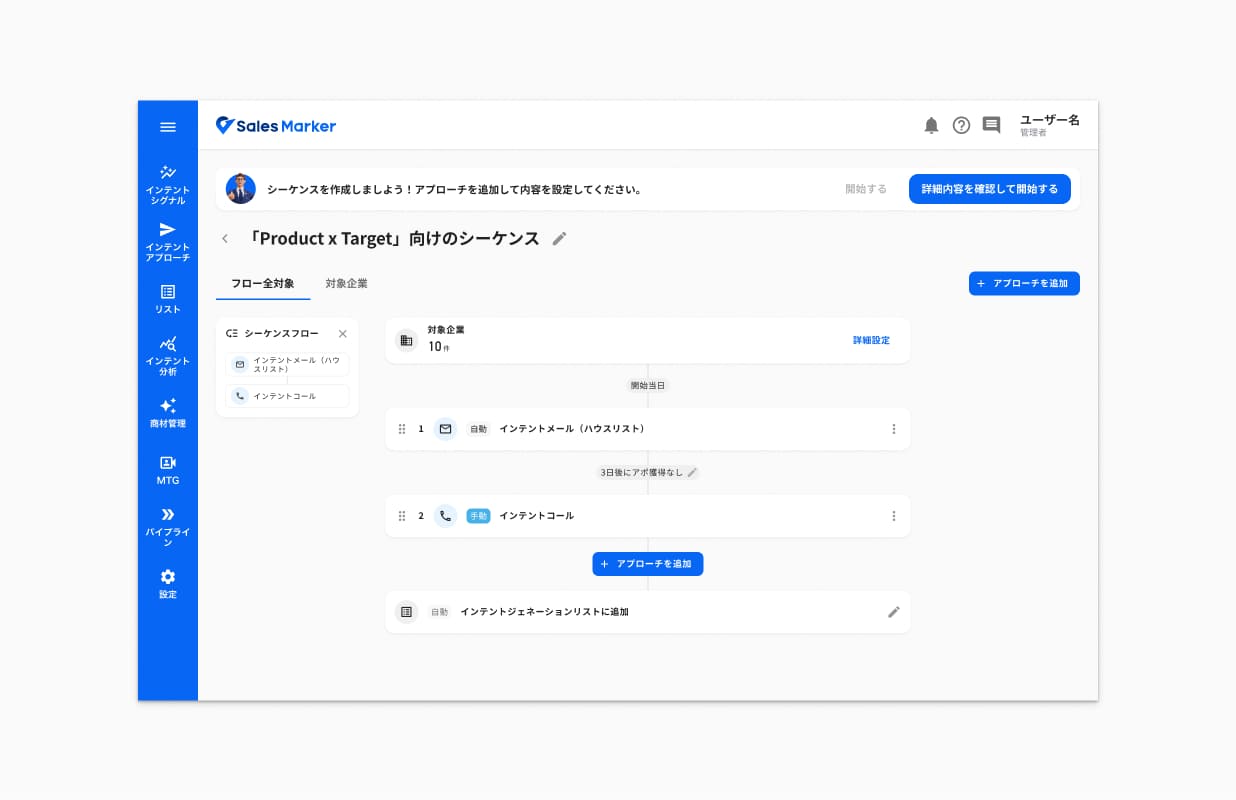
Vertical flow
Based on user testing and competitor analysis, I opted for a simple, step-based flow with intermediate trigger nodes that determine the next action and its timing.
Custom steps
Whether starting from a template or from scratch, users can build their flow by adding different outreach steps.
Sequence 2.0: First launch
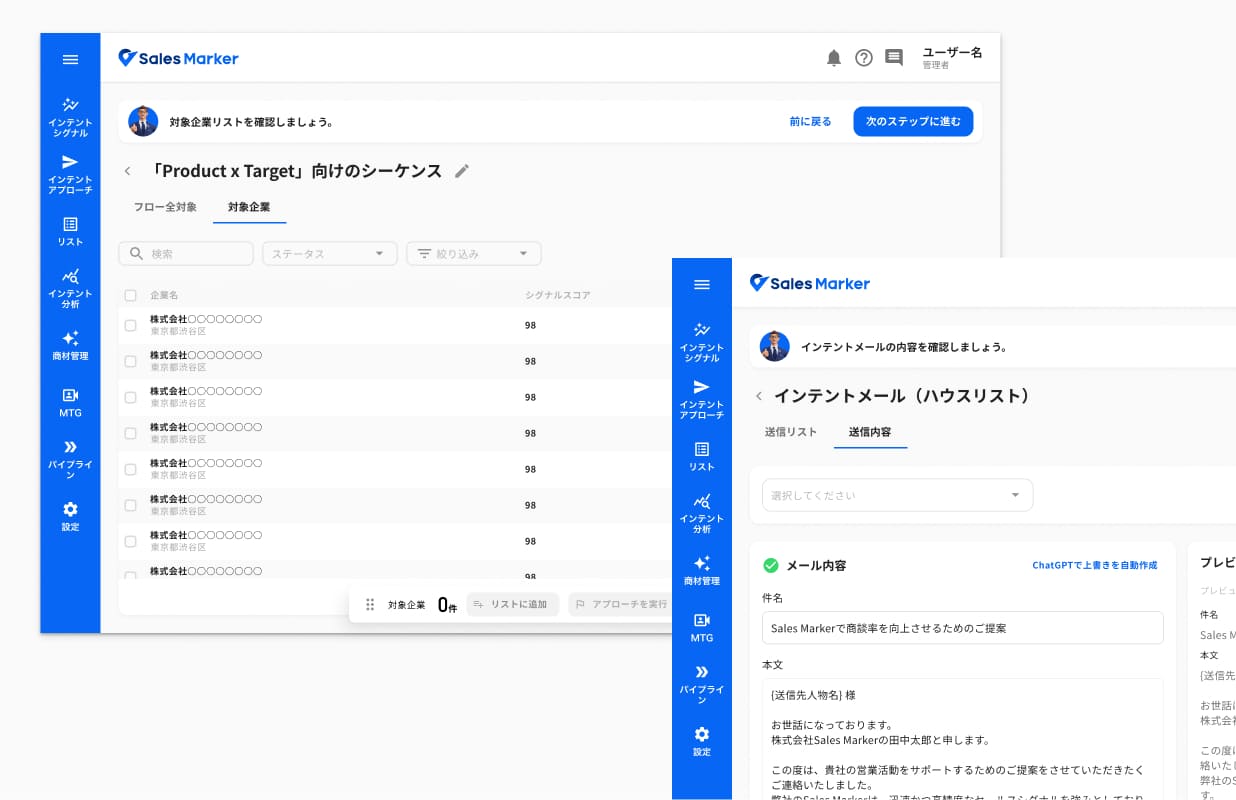
Flow verification
To prevent missing information or configuration errors, users go through a verification flow before activating a Sequence. Once the target list and the content of each outreach step have been reviewed, the sequence can be activated.
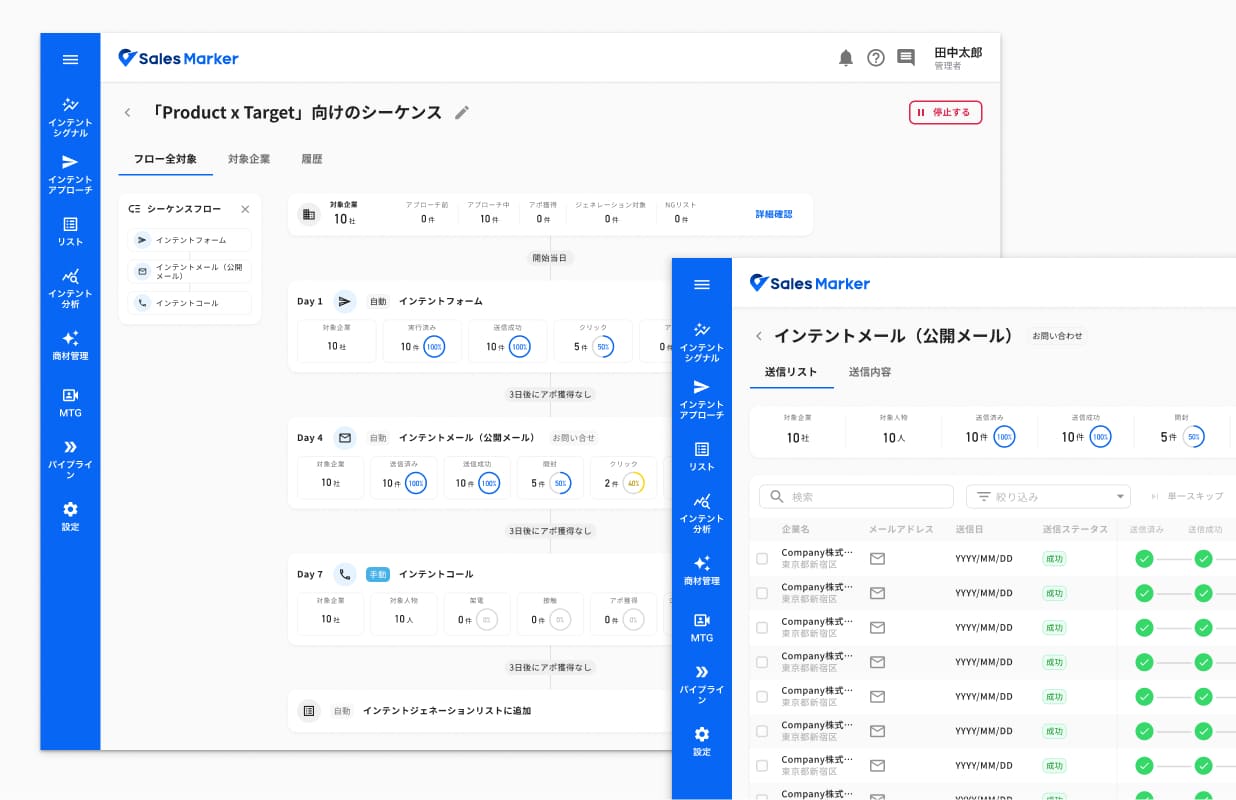
Active flow
Once a Sequence is active, each node displays key performance data (deliveries, opens, clicks, meetings, etc.), allowing users to track progress directly from the flow. Each node also links to a detailed view of contacted companies and their status.
User requests
Person based sequence
Several customers expressed the need to create sequences targeting specific people—for example, to follow up with contacts who had filled out a form or attended an event. Initially, detected intent signals were associated with companies, so sequences could only be created from either signal-based triggers or company lists.
Action trigger
To make the flow more flexible, users needed more control over the delay between each outreach step, which was fixed at three days by default. They also requested more trigger conditions to determine when the next approach should be initiated, allowing them to create more advanced and responsive sequences.
HTML email
To take personalization further, users wanted to send newsletters and emails that reflect their brand guidelines while remaining tailored to each prospect.
Sequence 2.0: From feedback to improvements
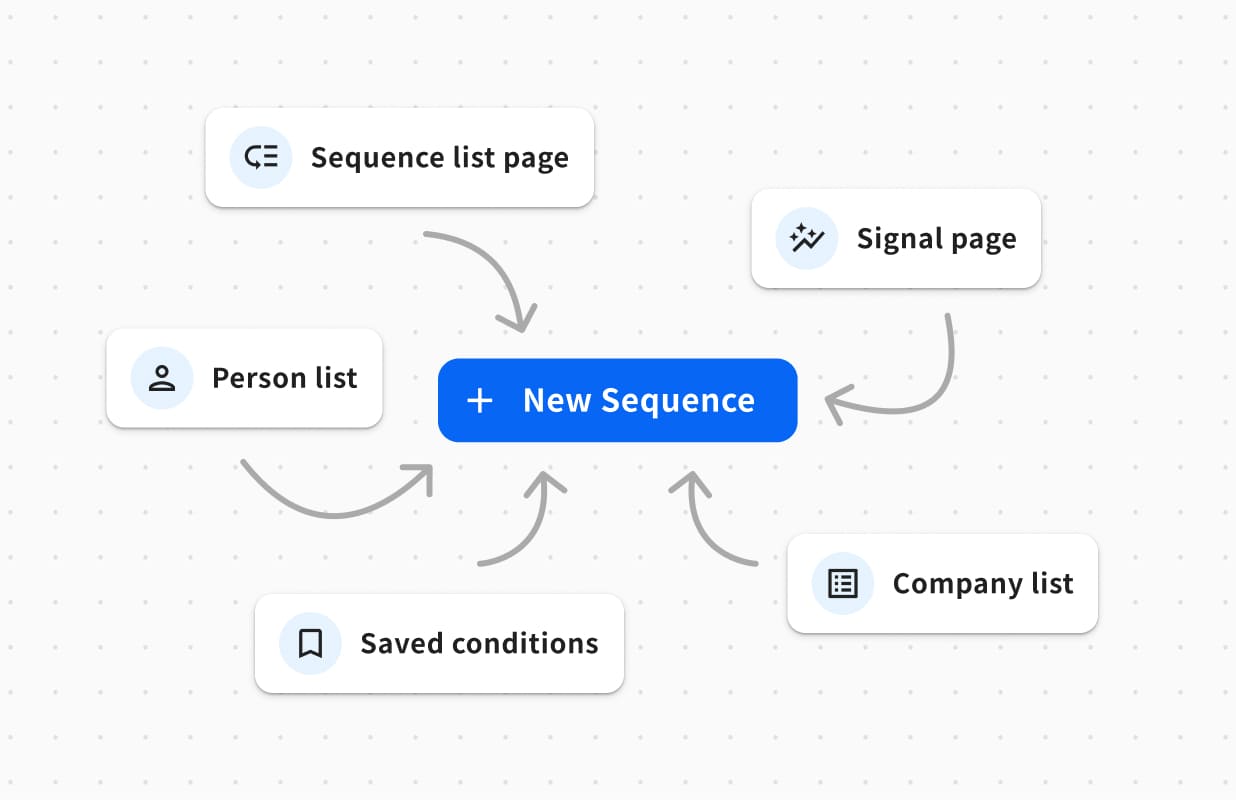
Entry points
Recent improvements have expanded the entry points to Sequences. Users can now create a Sequence from a person list or from saved conditions applied to the system database.
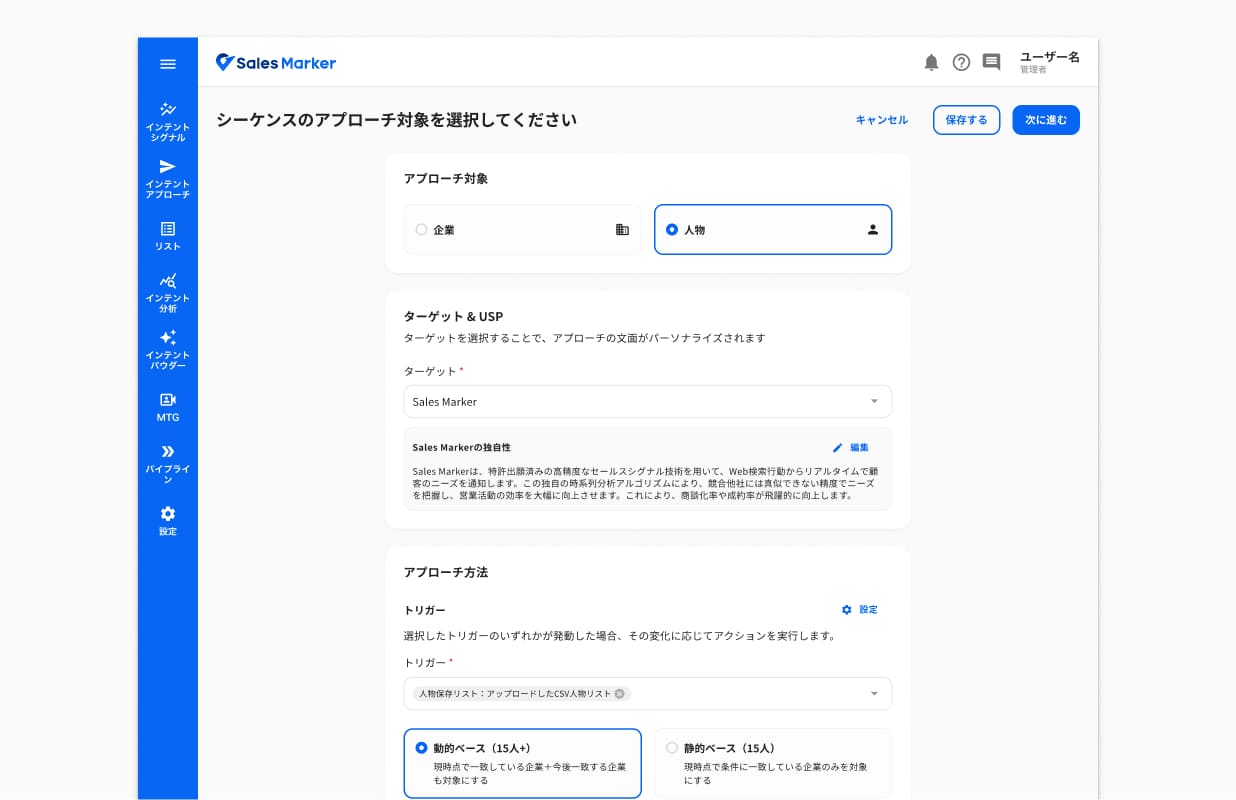
Person-based sequence
Users can choose between targeting a company or a person. This choice determines the available fixed and dynamic triggers. The flow and detail pages remain consistent with the company-based experience to maintain a cohesive experience.
Sequence 2.0: From feedback to improvements
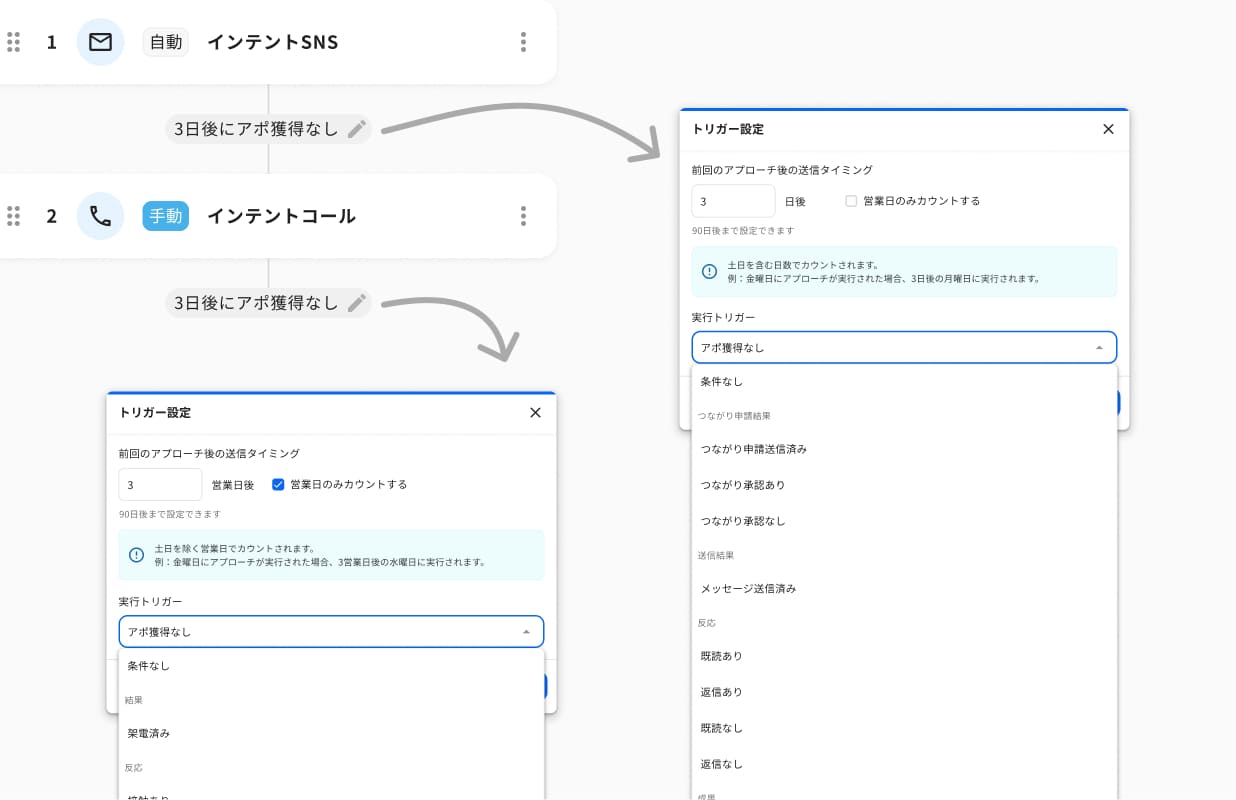
Action trigger
Users can now set intervals of up to 90 days between actions and choose whether to include or exclude business days. Additional condition options provide more precise control over when actions are triggered.
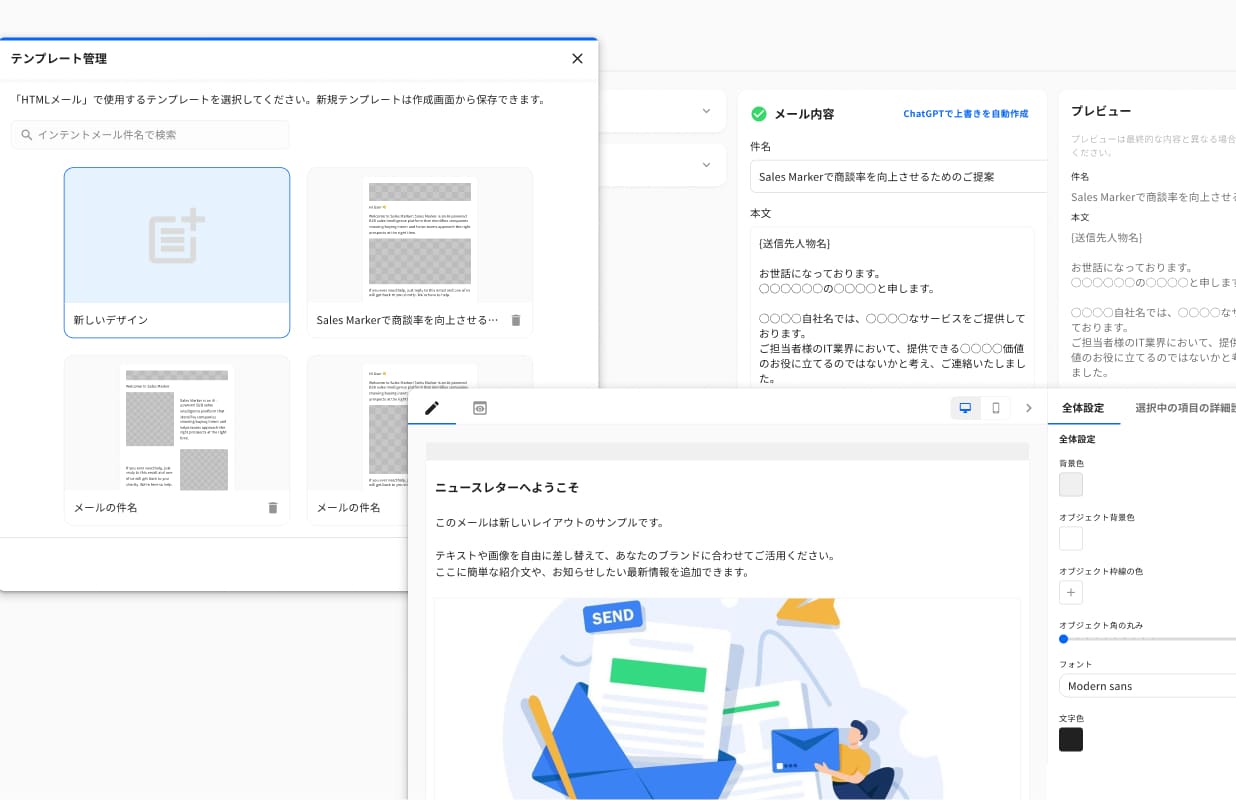
Personalized email
Users can switch between text and HTML modes. To make email creation easier, I added templates, following the same approach used for sequence. After sending, users can also preview it from the detail page, as they can with text-mode emails.
Measurable results from Sequence
Customer feedback also highlighted the tangible business impact of Sequence, from generating appointments to contributing to contract renewals. Here are three examples showing how customers used Sequence and the value they gained from it.

- 10 appointments in 3 business days
- 1 closed deal
- 200–300 emails/day

The customer reversed its cancellation decision and renewed the contract after generating appointments with Sequence 2.0.

- 20 appointments from 504 outreach cases
- 3.9% appointment rate
- 8 Sequences running in parallel

Generated appointments with Sequence 2.0 with less manual effort compared to 1.0. Sequence was cited as a key source of value at renewal.
Current issue
36% of companies that created a sequence never activated it.
Companies that created a Sequence
Companies that activated a Sequence
Companies with an active Sequence
How might we make the transition from Sequence creation to activation more seamless and confident?
Where Sequence is headed
Sequence is continuously evolving. The next goal is to close the activation gap. As adoption grows, we uncover new user needs, refine existing workflows, fix friction points, and identify opportunities for further improvement.
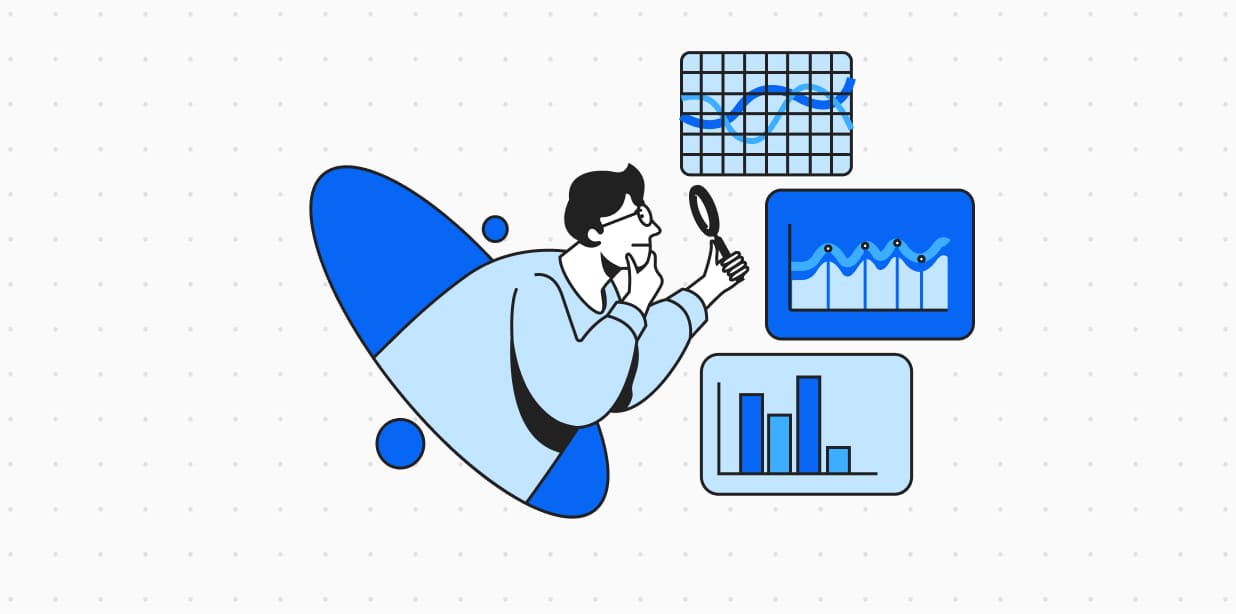
Diagnosis
- Quantitative: Analyze usage data to see where drop-off happens across the steps: target setting → flow creation → verification → activation.
- Qualitative: Run quick interviews with companies that created a Sequence but never activated it, to understand why.
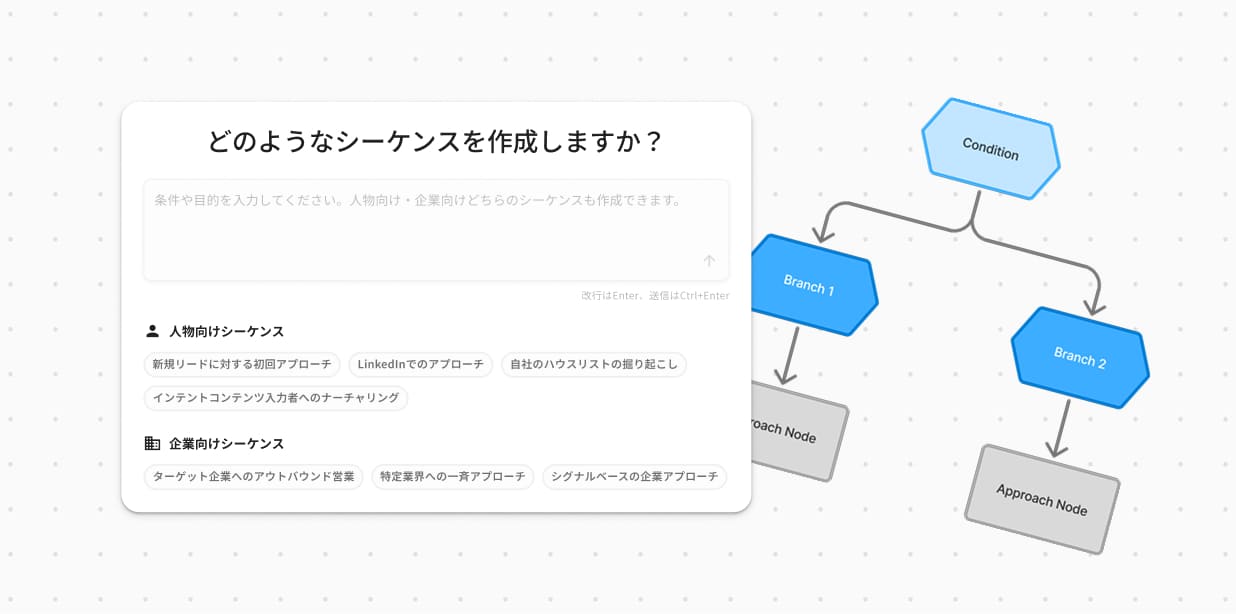
New functionality ideas
- AI-assisted creation: Generate a complete sequence from a stated objective, including target, channel mix, step intervals, triggers, and message content.
- Conditional branching: Define different paths based on how a prospect responds to a trigger, allowing users to build more adaptive outreach journeys that react to prospect behavior.
What this project taught me
Measure earlier
Sequence 1.0 was seen as a temporary solution, so we didn't track its usage closely. I would have liked to collect more insights from the start, which would have allowed a finer comparison with Sequence 2.0.
Balance needs with reality
Technical constraints play a decisive role in roadmap planning. Working hand in hand with engineers is essential to reconcile user needs and business goals with what is feasible.
Stay organized
A long project with several cycles, multiple workstreams and hundreds of tickets requires solid organization. I learned to structure my files and track deliveries so that design and development stayed aligned.