Marketing Marker: from a 3-month MSP to a scalable lead-intelligence platform
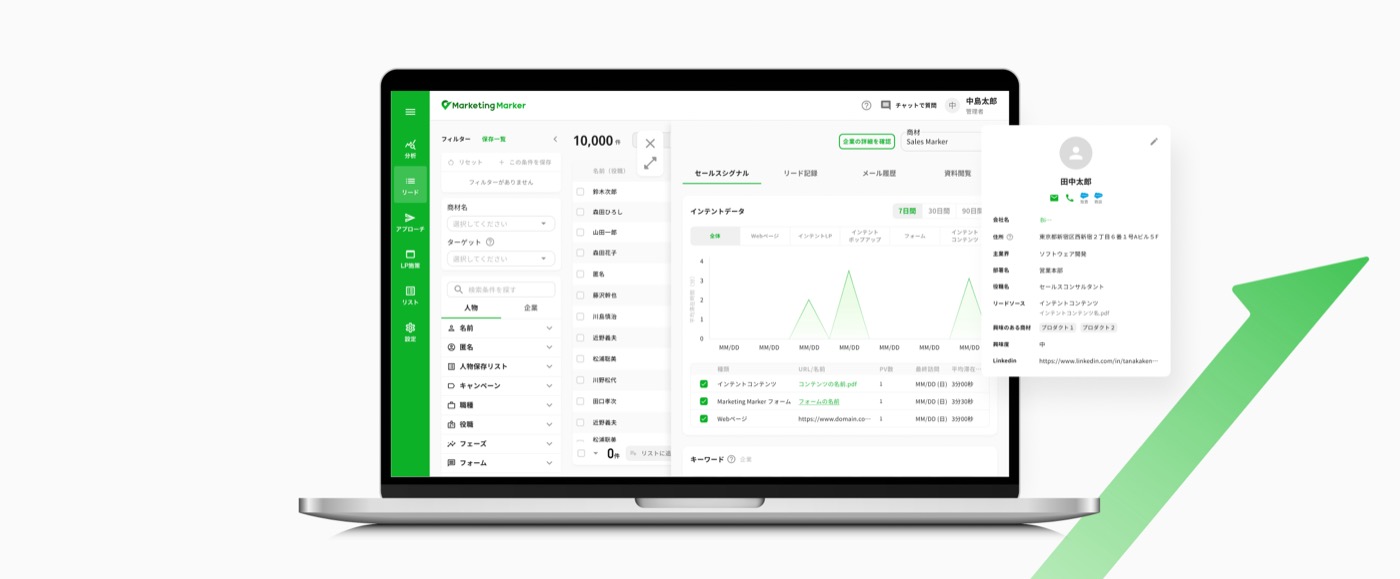
As Lead Product Designer, I helped launch Marketing Marker — a lead-intelligence SaaS product — from a minimum sellable product built in three months to an advanced lead-management platform shaped by a year of continuous iteration and customer feedback.
What is Marketing Marker
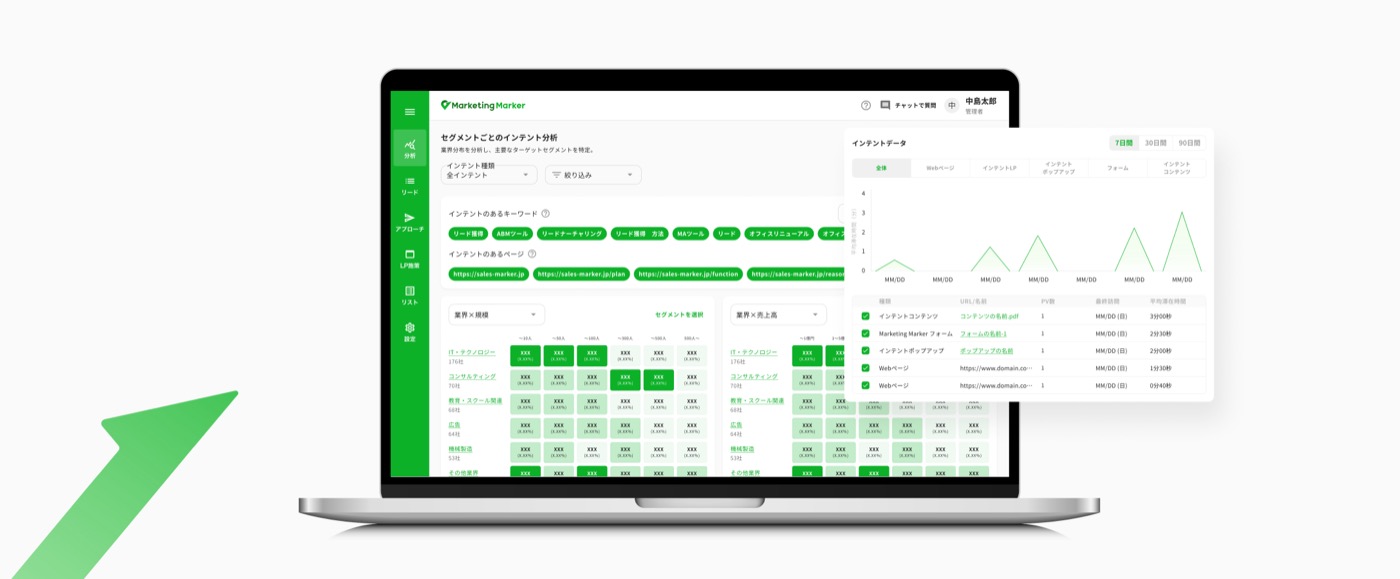












Marketing Marker is a B2B SaaS product that identifies high-quality, sales-ready leads. It detects early purchase signals at the anonymous stage by analyzing company and individual activity, and optimizes content to engage prospects at the right moment.
It's built for:
- B2B marketers at SaaS companies
- Marketing managers
- Sales teams
- Companies aiming to grow or expand their business
From MSP to a scalable product, in a growing team
As the lead product designer, my role was to align business objectives with both technical constraints and design requirements, while continuously integrating user feedback. Given the limited resources typical of a new product, we focused on prioritizing key features, making thoughtful trade-offs, and adapting quickly to evolving client needs.
The product was launched within a few months by a lean product team composed of a product manager, one designer, and one developer. The project kicked off in July, with the MVP scope and design finalized by September. Development took place in October, leading to a public launch at the end of November.
As the product evolved, the team expanded to include sales, customer support, additional developers, and QA, enabling more structured collaboration and scaling of the product.
- Launch teamPDM · Designer · Developer
- One year laterPDM · Designer · 4 Developers · QA
Too many leads, not enough of the right ones
Initial user research surfaced a consistent set of pain points:
- Too many leads, but not the right ones
- Marketing automation tools that were too complex to fully use
- Inefficient lead nurturing
- Inability to prioritize leads correctly
Marketing Marker's answer was to identify and prioritize customers with high interest in real time, instead of relying on outdated lead scores — focusing on recency-based intent (activity in the last 48 hours) rather than accumulated scores, to improve lead quality, sales timing, and conversion rates. It does this by collecting real buyer signals: 1st-party intent data from website behavior (cookies, content views, visit frequency), and 3rd-party intent data at the company level via IP-based identification, which AI then interprets to surface genuine intent.
From MSP to a scalable product
A lightweight MVP focused on core lead acquisition grew, over the following year, into an advanced lead-management platform.
- Sales Marker's database
- Basic lead phases (Lead → IPL → IQL → CV)
- CSV import & manual lead creation
- Simple forms and pop-ups
- Mail connection
- Product settings (keyword, tag…)
- Advanced lead management (added phases and custom properties)
- Full lead activity tracking (mail, content, external tools)
- Automated workflows (Sequences 2.0)
- Multi-channel acquisition (pop-up, form, ads, content)
- Analysis with data segmentation
- External integrations (sales tools, DNS/mail setup)
What changed, screen by screen
Lead management
The lead list allows users to view, sort, filter, and prioritize prospects.
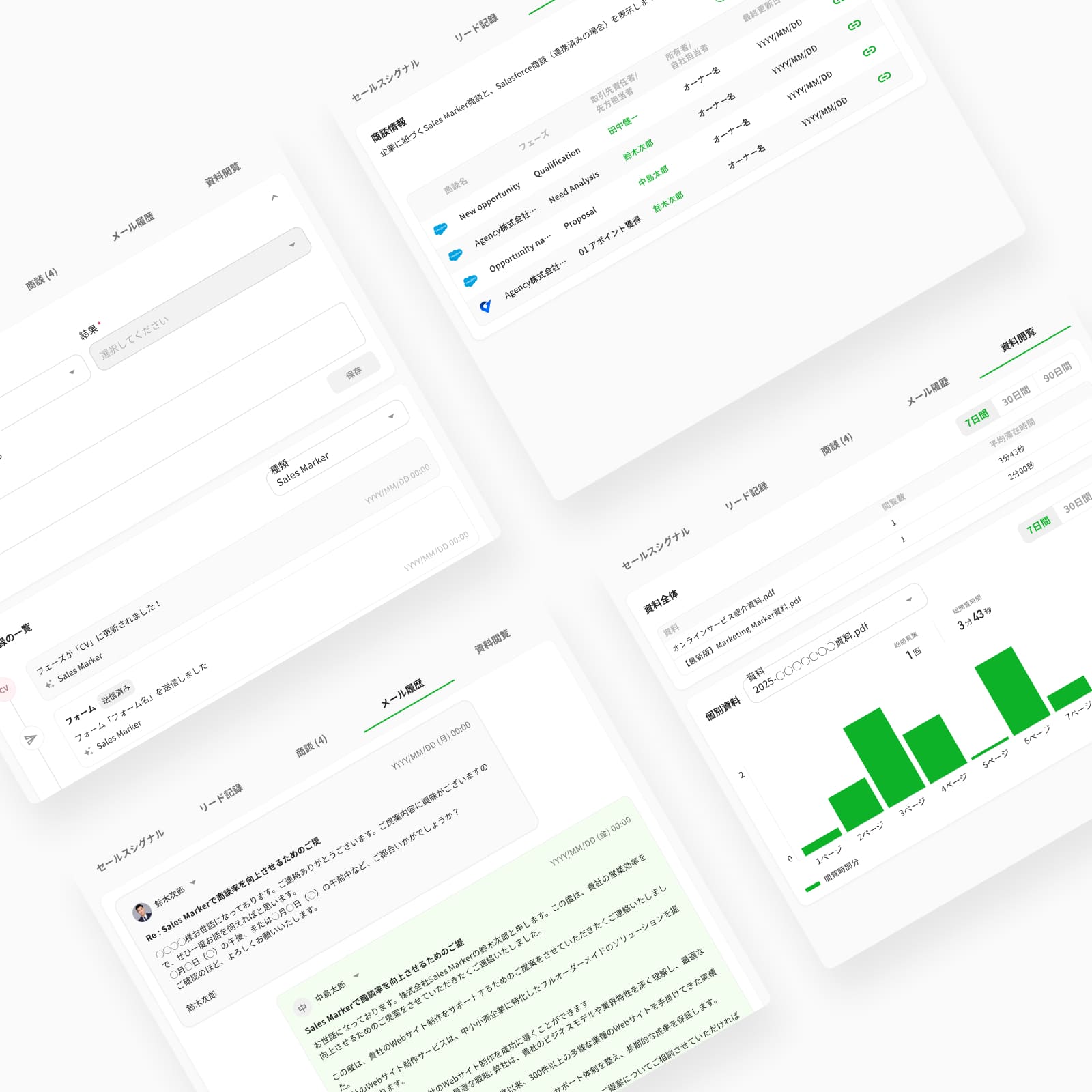
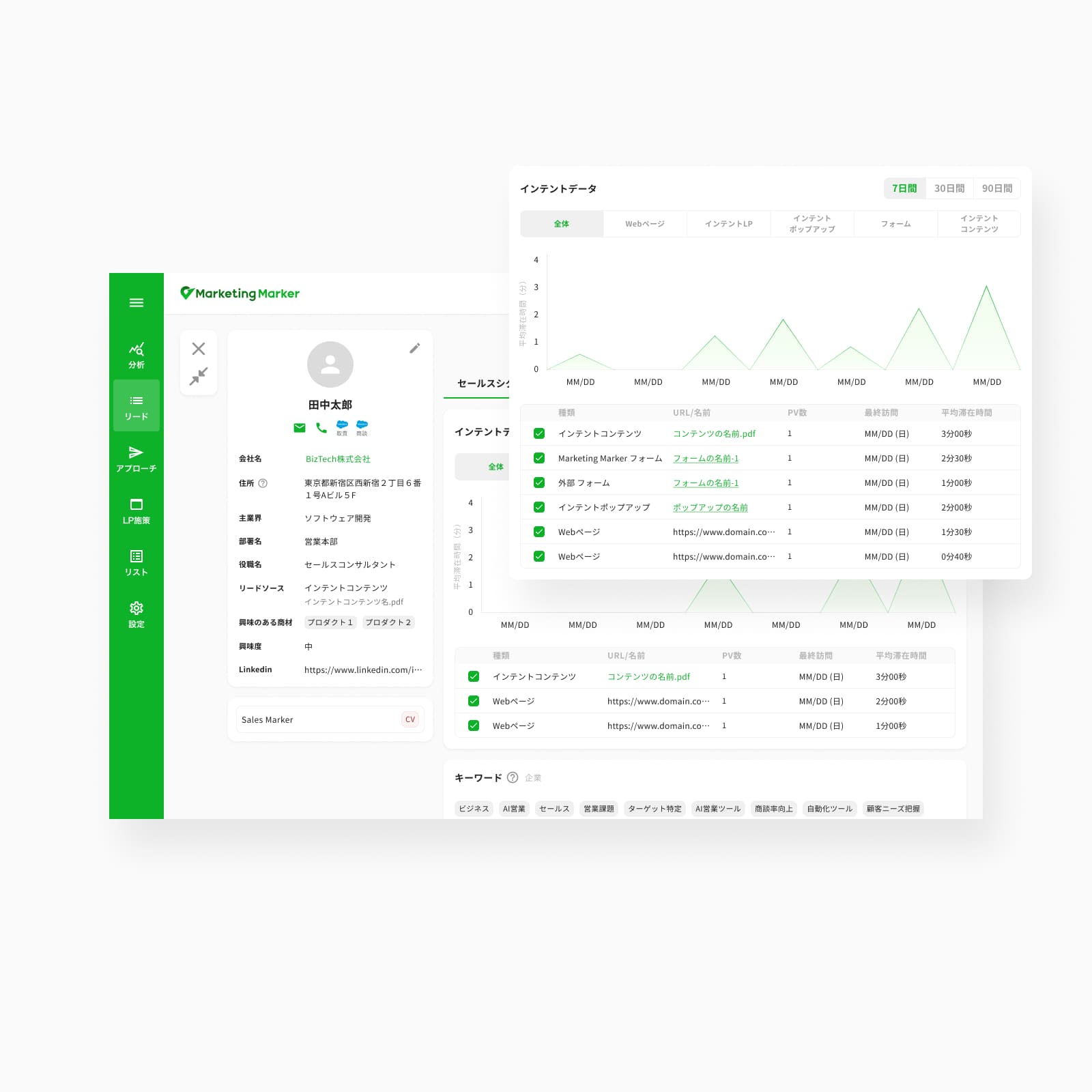
The lead detail page provides a complete and chronological view of a prospect. Its purpose is to centralize all relevant information, track the history of interactions, and facilitate conversion into an opportunity or a customer.
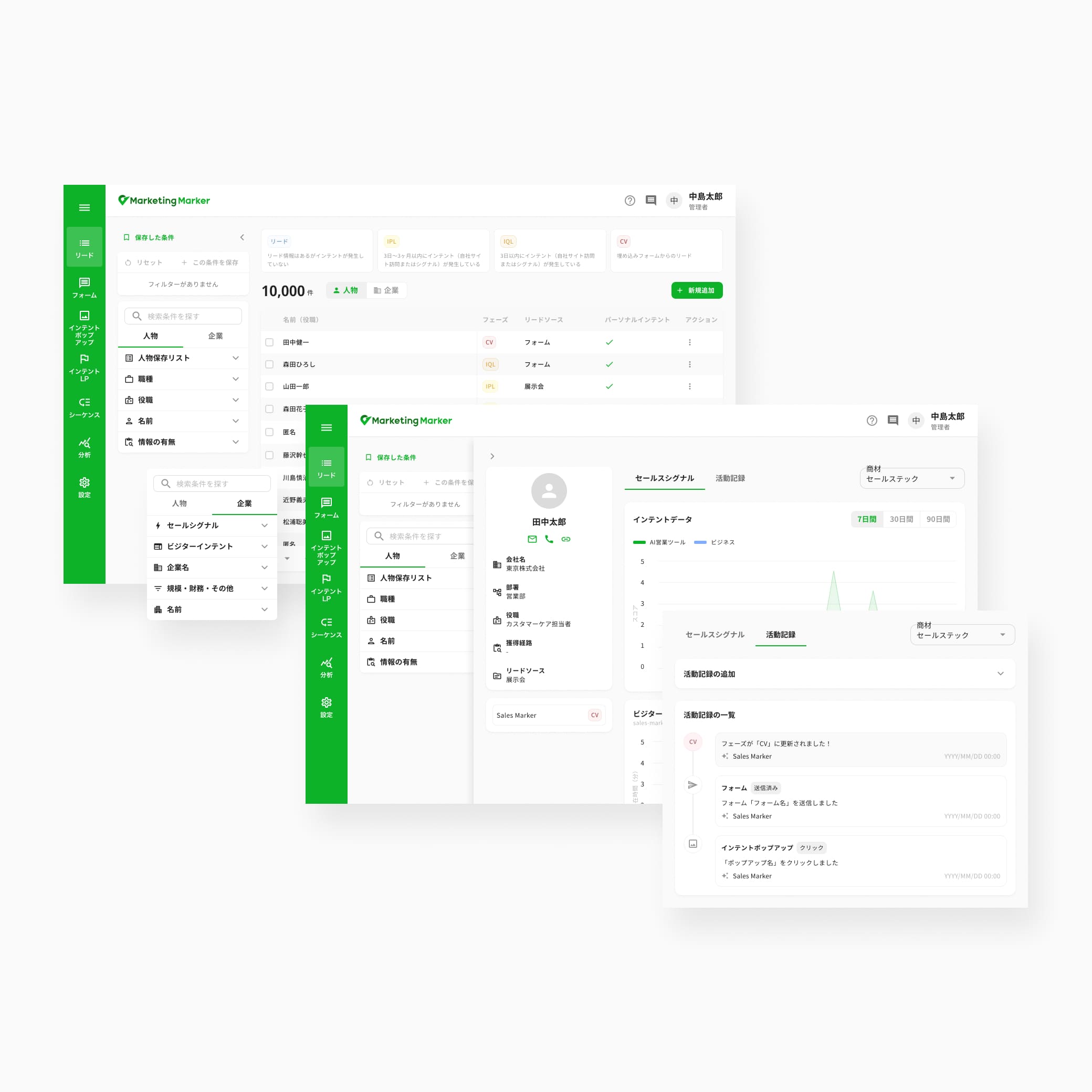
- 4 lead phases (Lead, IPL, IQL, CV)
- Filters (person: 5 / company: 5)
- Manual lead import only
- Lead detail in a drawer, with non-editable properties
- Person signal (searched keyword and visited page)
- Person-related activity
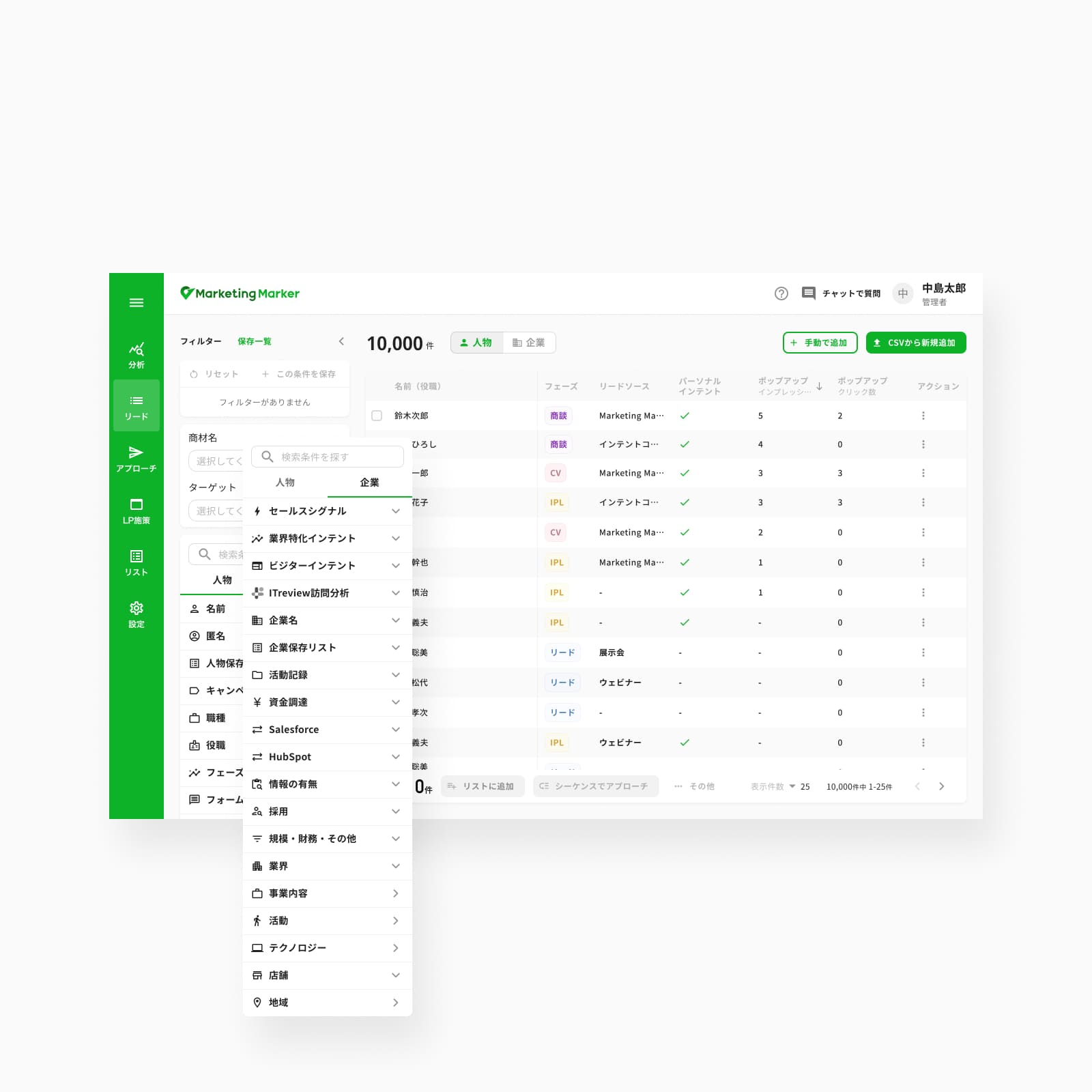
- 8 lead phases (Lead, IPL, IQL, CV, Negotiation, Order, Lost order, Invalid)
- Filters (person: 12 / company: 19)
- Manual or CSV import
- Lead detail in a full, editable modal
- Signal grouped by source (web page, LP, pop-up, form, content) and searched keyword
- Person- and external-tool-related activity, mail history, and content activity
Pop-up
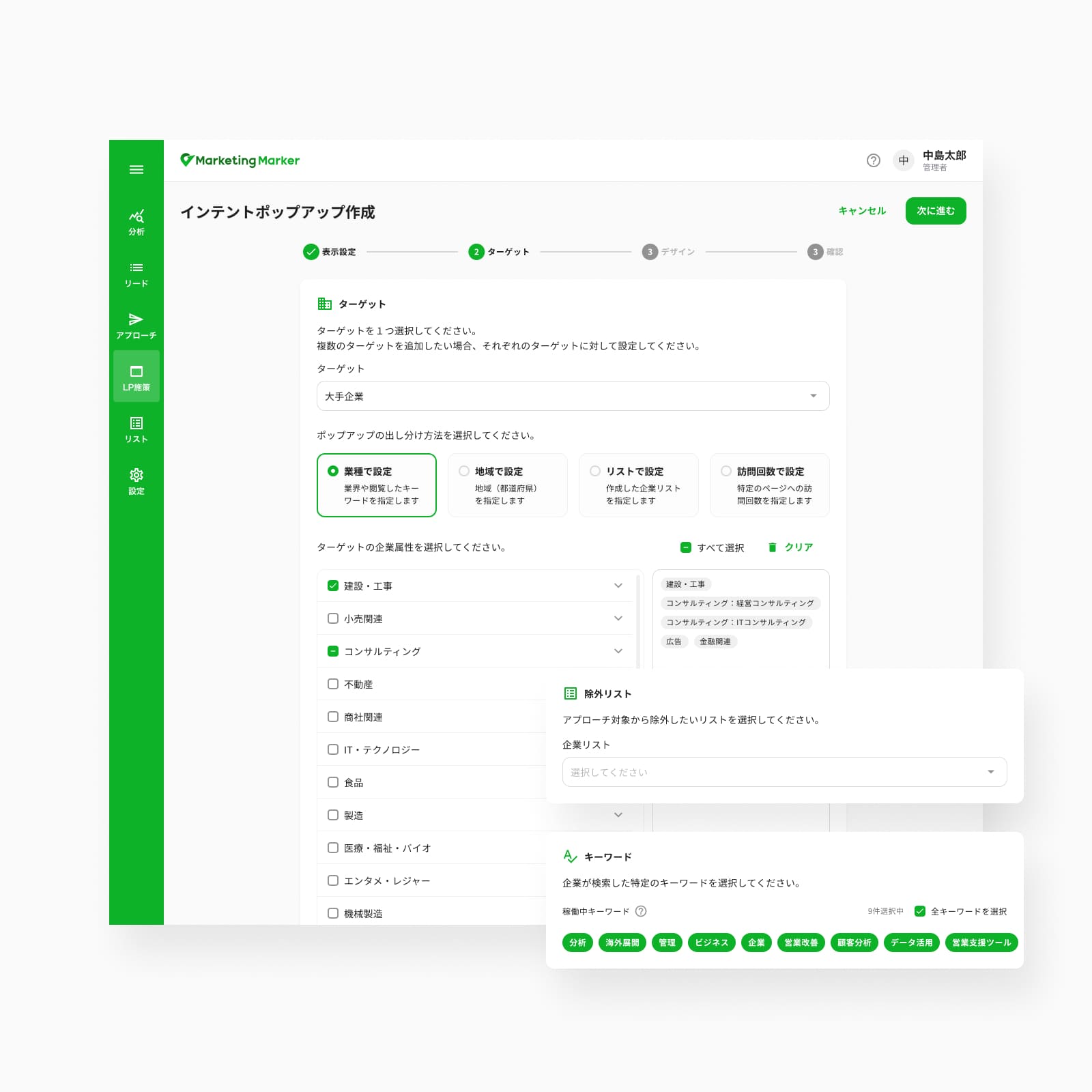
Intent Pop-up is a dynamic banner that appears on selected URLs. Users can define target companies using various settings such as industry, geography, company lists, or the number of visits to specific web pages.
Display conditions can also be configured based on how the pop-up appears, including position and timing.
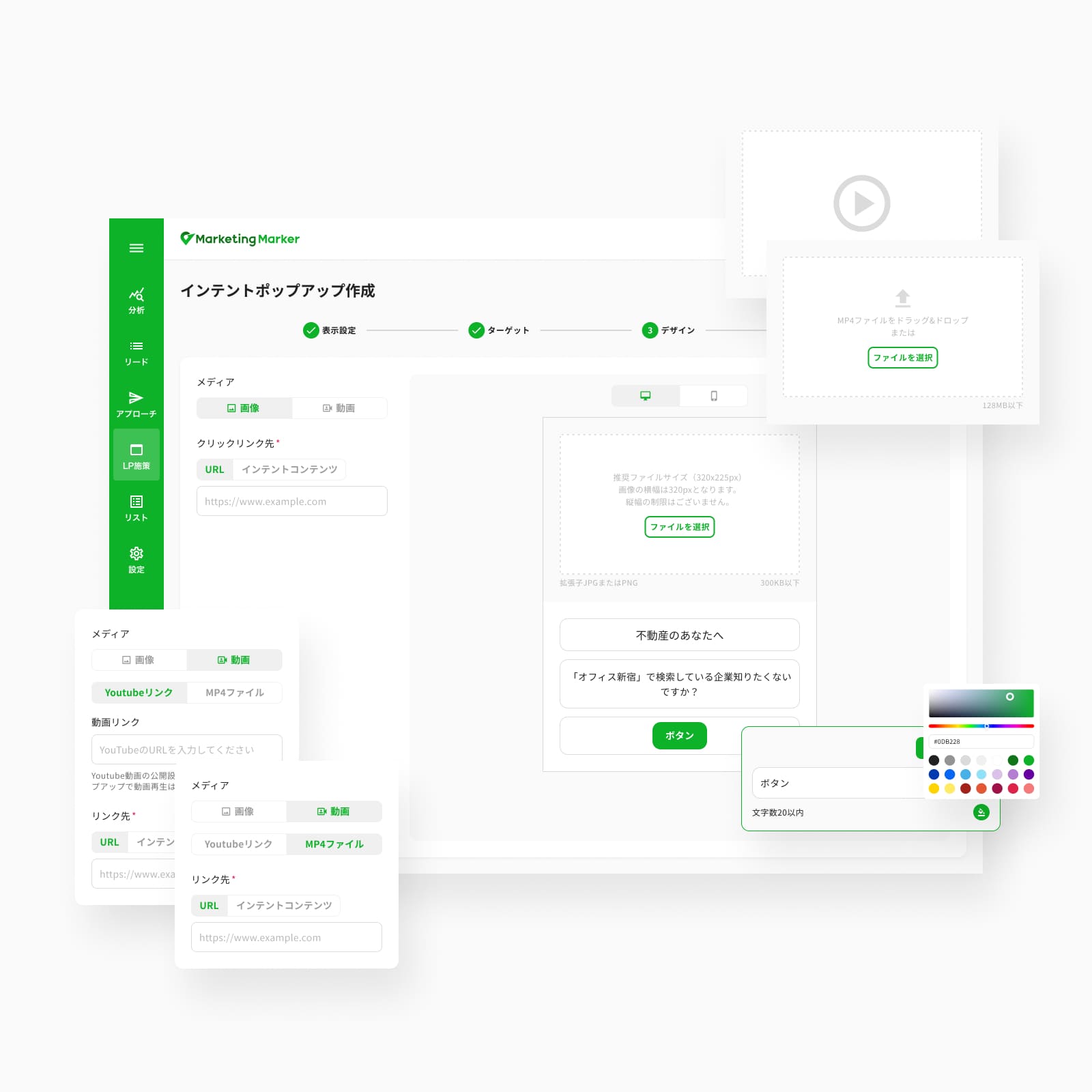
Pop-up content can take multiple formats, such as an image, a YouTube link, or an MP4 video, allowing for more engaging experiences.
Each pop-up is tracked, and a redirection link can be added to measure engagement and drive visitors to a specific destination. The redirection link can lead to a standard URL or to tracked PDF content. Users can then monitor detailed performance metrics, such as time spent, number of views, and clicks on the pop-up.
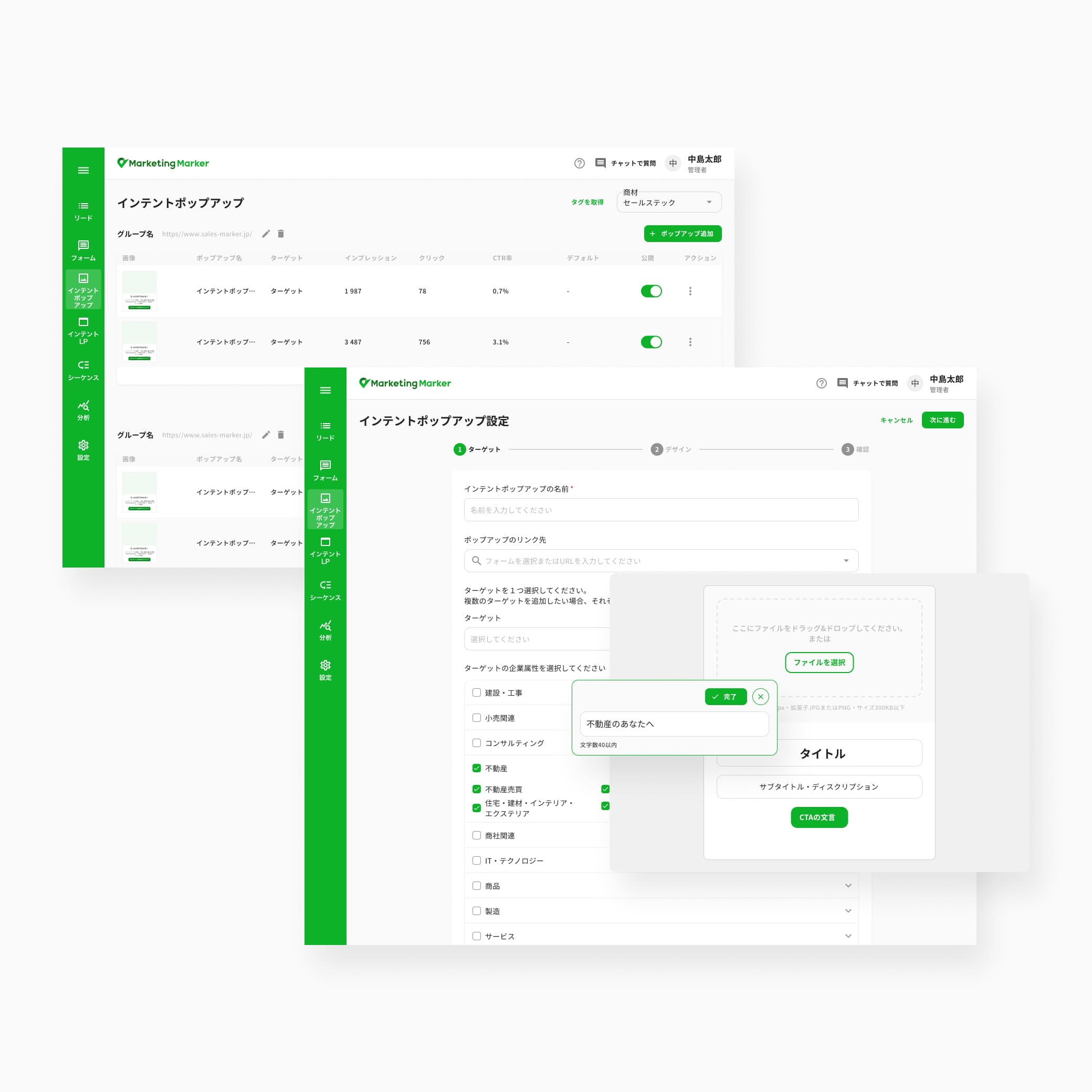
- Single pop-up list page
- Fixed bottom-right position
- Targeting by industry only
- Image-and-text design only
- CTA limited to a redirection URL
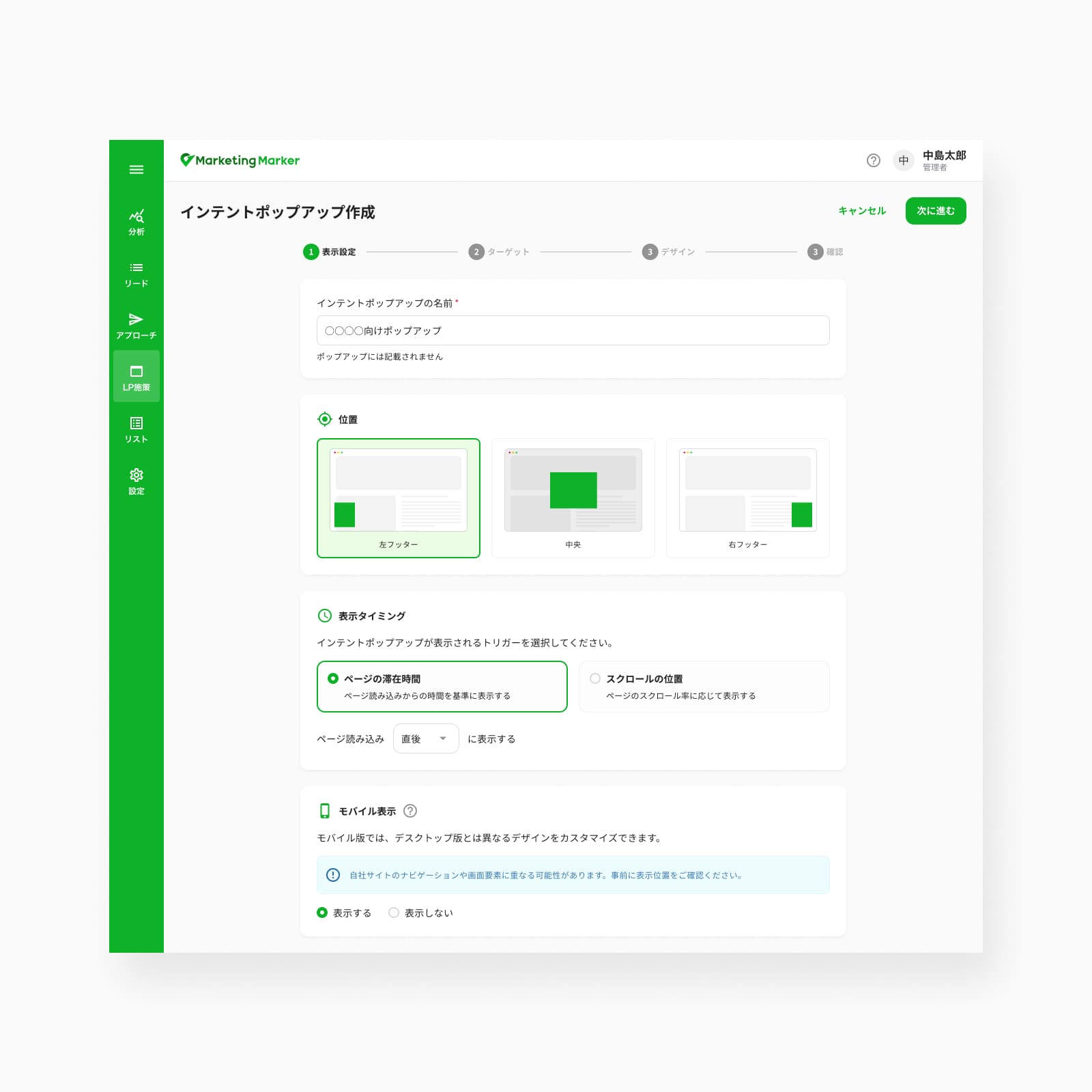
- Position: bottom-left, bottom-right, or middle
- Display trigger: time on page or scroll percentage
- Dedicated mobile version
- Targeting by industry, geography, company lists, or visited pages, with keyword and exclusion-list settings
- Design in image, video, or text, with custom color and position
- CTA to a URL or to tracked Intent Content
Form
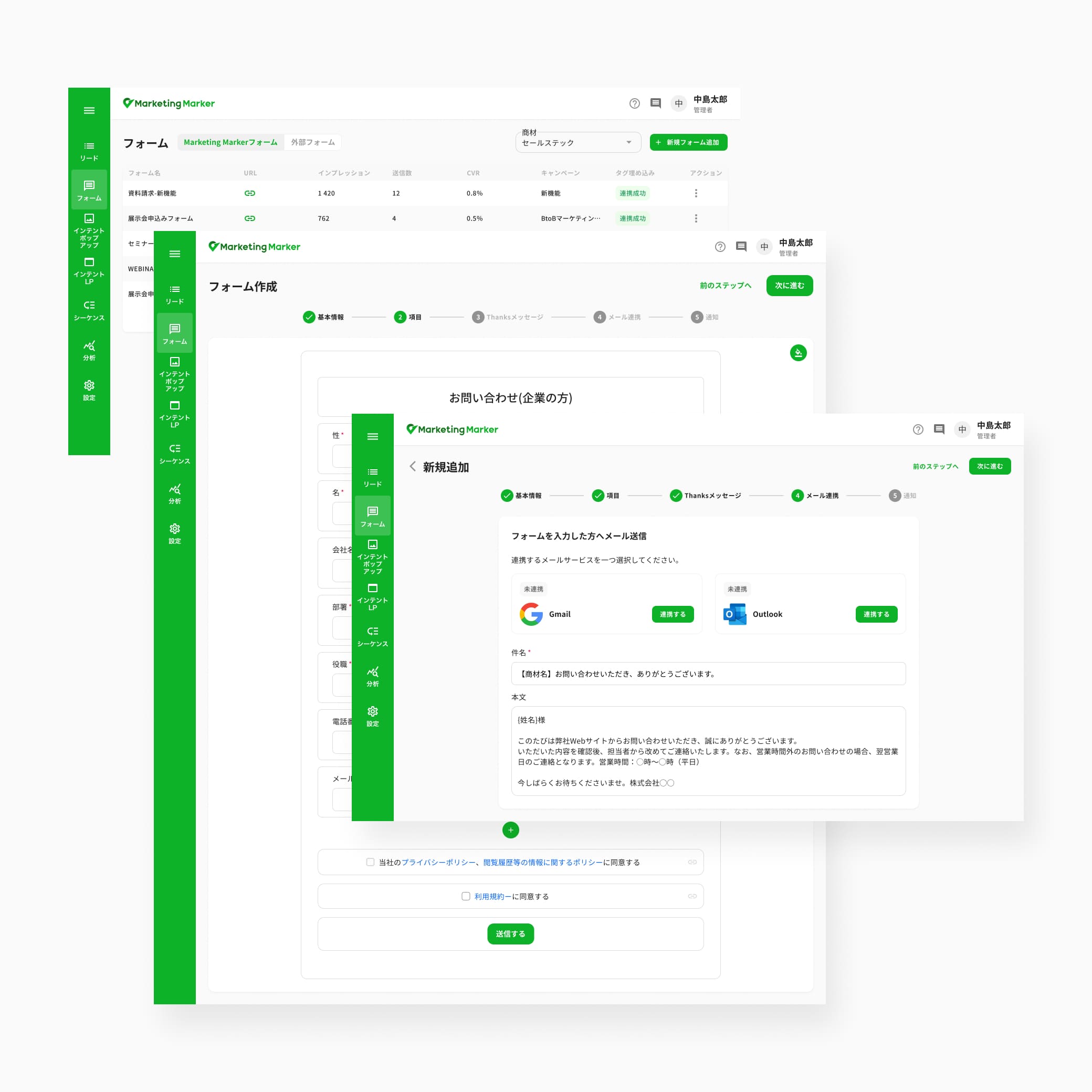
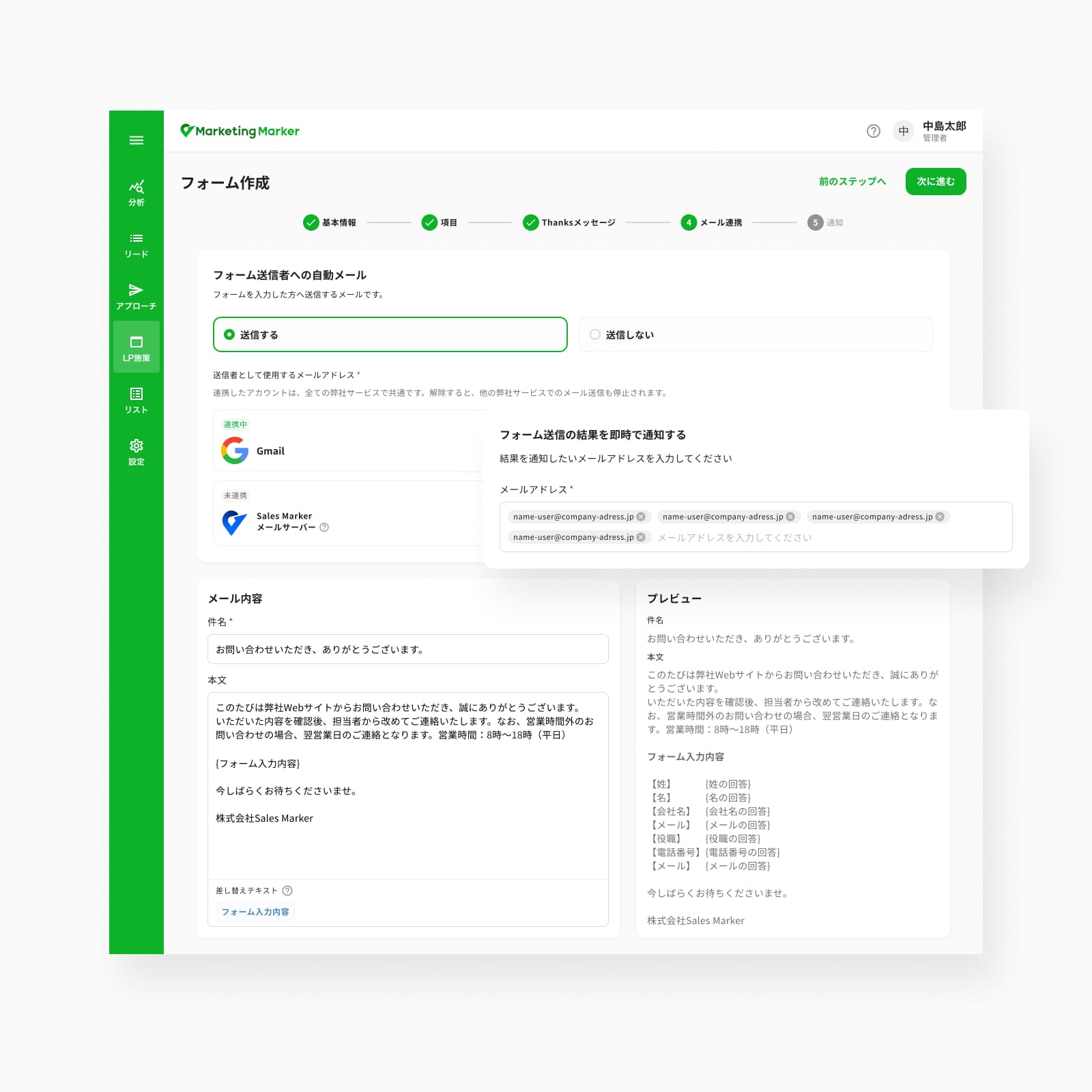
The Form feature enables users to create customizable forms to capture leads directly on their website. Forms can be embedded on specific pages or used as standalone landing elements, depending on the campaign strategy.
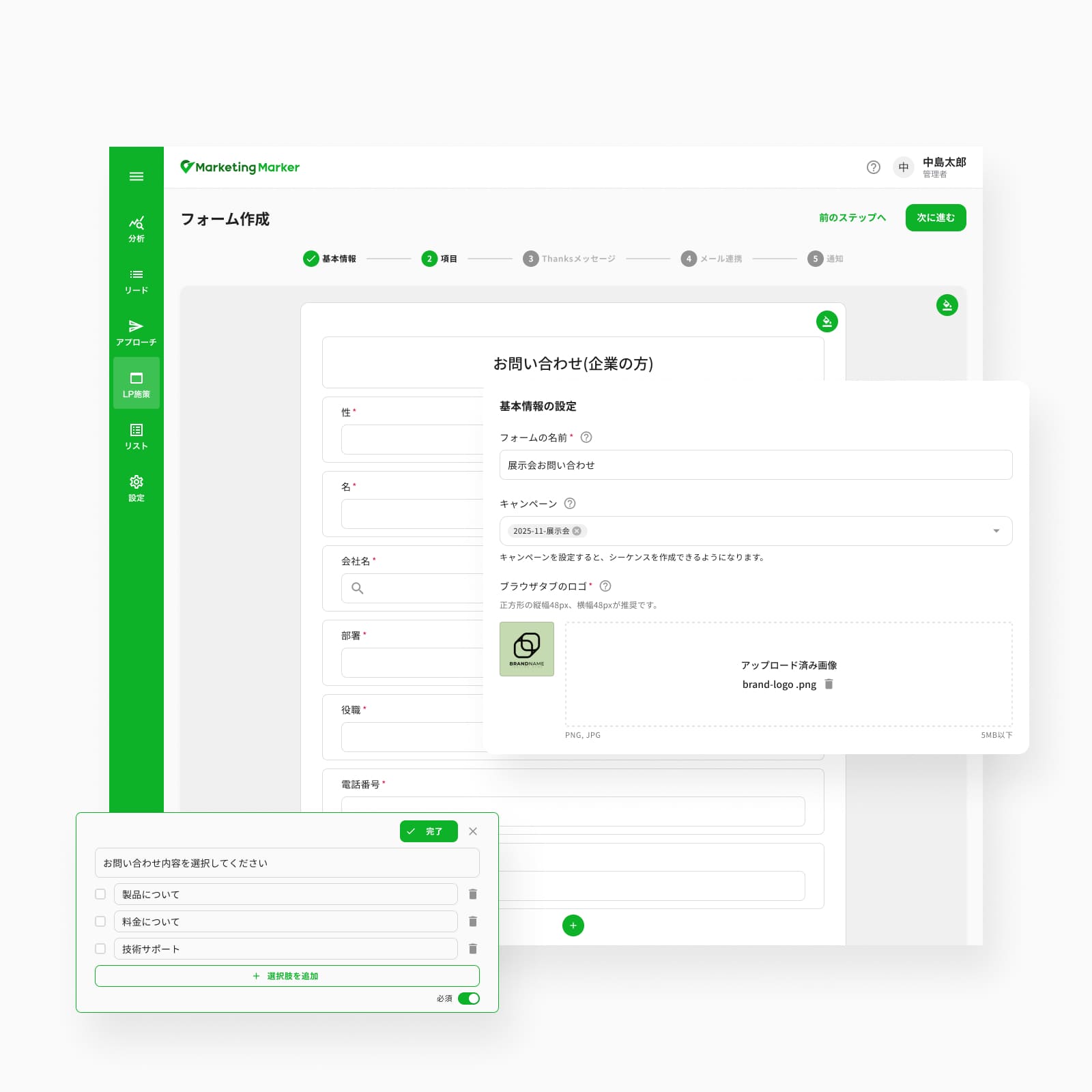
Form content and structure are fully customizable, allowing users to adjust fields, layout, and confirmation messages to optimize conversion.
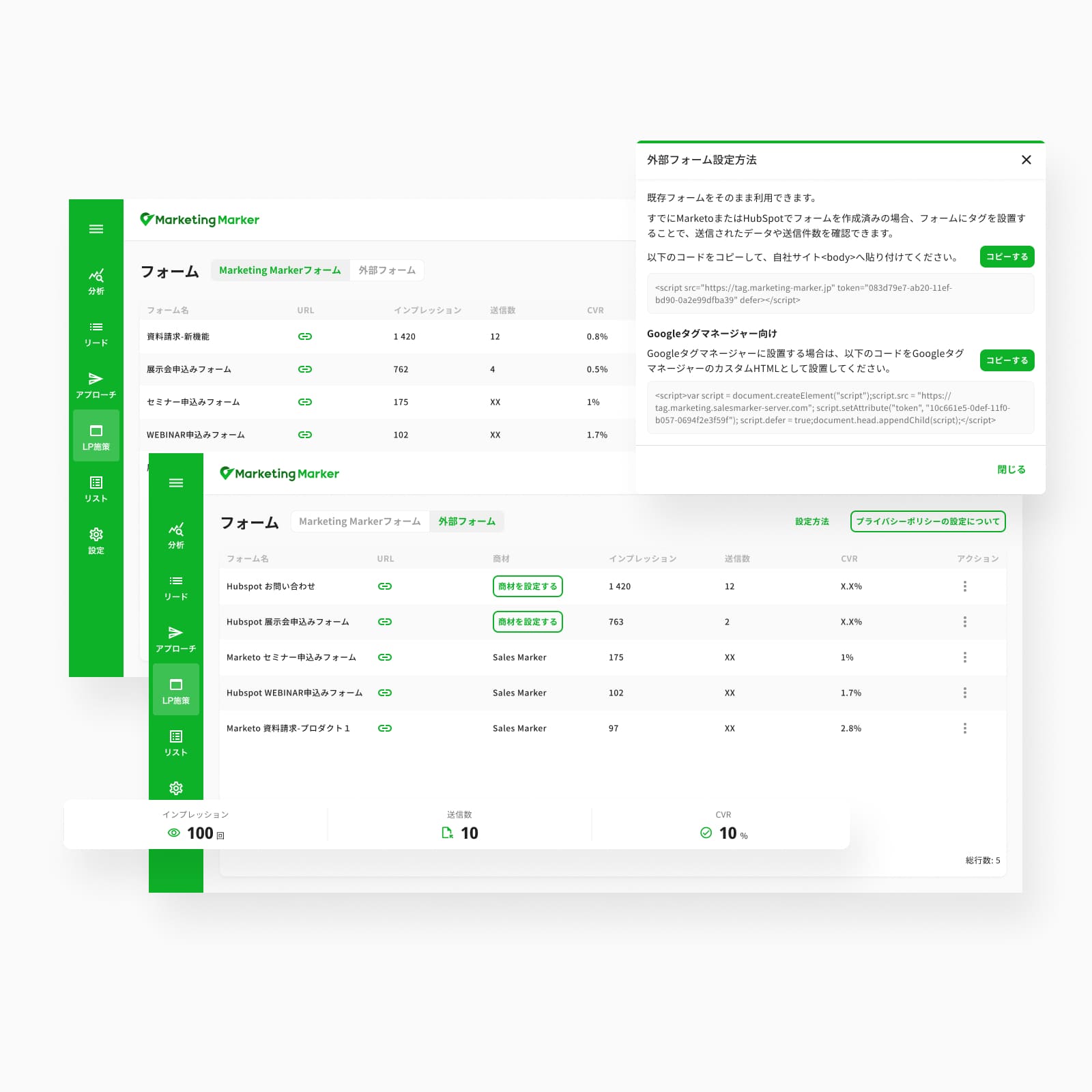
Each form submission is tracked and stored, enabling users to monitor performance through key metrics such as number of submissions, conversion rate, and engagement. Collected data can then be used for follow-ups, lead qualification, or integrated into CRM systems.
- Internal forms only
- Text and dropdown fields
- Optional mail connection with a message for prospects
- Notifications for a single user
- Support for external forms (Marketo, HubSpot)
- Text, dropdown, and checkbox fields
- Browser-tab icon and background color settings
- Campaign tagging and company-name autocompletion
- Dynamic tags in the confirmation message
- Notifications for multiple users
Scaling with the team
I closely followed the product's evolution, incorporating weekly feedback from both the sales and business teams. As the team grew from a lean trio into a full cross-functional group — with QA, additional developers, sales, and customer support — we actively evolved our workflows and processes alongside the product itself, gathering and analyzing user feedback throughout.
What changed
Numerous features were developed throughout the year, including an intent-analysis screen based on industry segments, letting users target industries by searched keyword or visited page. The on-site tools designed to capture and engage prospects were continuously optimized for performance and usability, and the intent-identification system kept evolving to more precisely understand and target prospect needs.
What I learned
I learned how to build a product from a business idea, starting with a Minimum Sellable Product developed in a very short timeframe — then helped rapidly evolve it by continuously iterating on real client usage.
Starting within a small product team that gradually scaled, I gained a holistic view of the product, shaped by direct customer feedback, real-time observation of their needs, and close collaboration with sales.
Extending the intent engine
-
Dynamic Content — animated product videos displayed on landing pages to showcase the product experience.
-
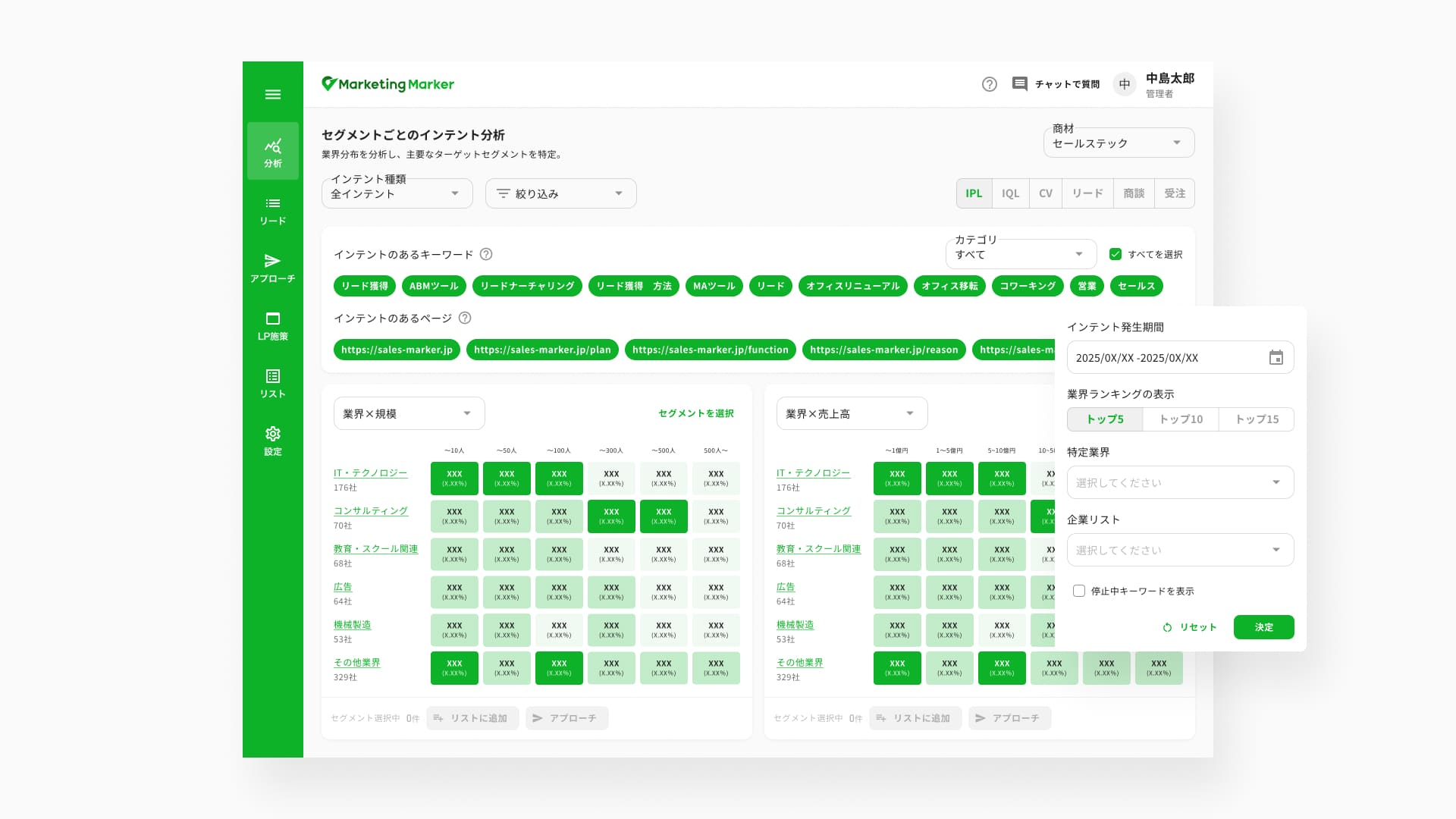
Analysis Screen — uses industry segments to help users target specific industries based on searched keywords and visited pages.
-
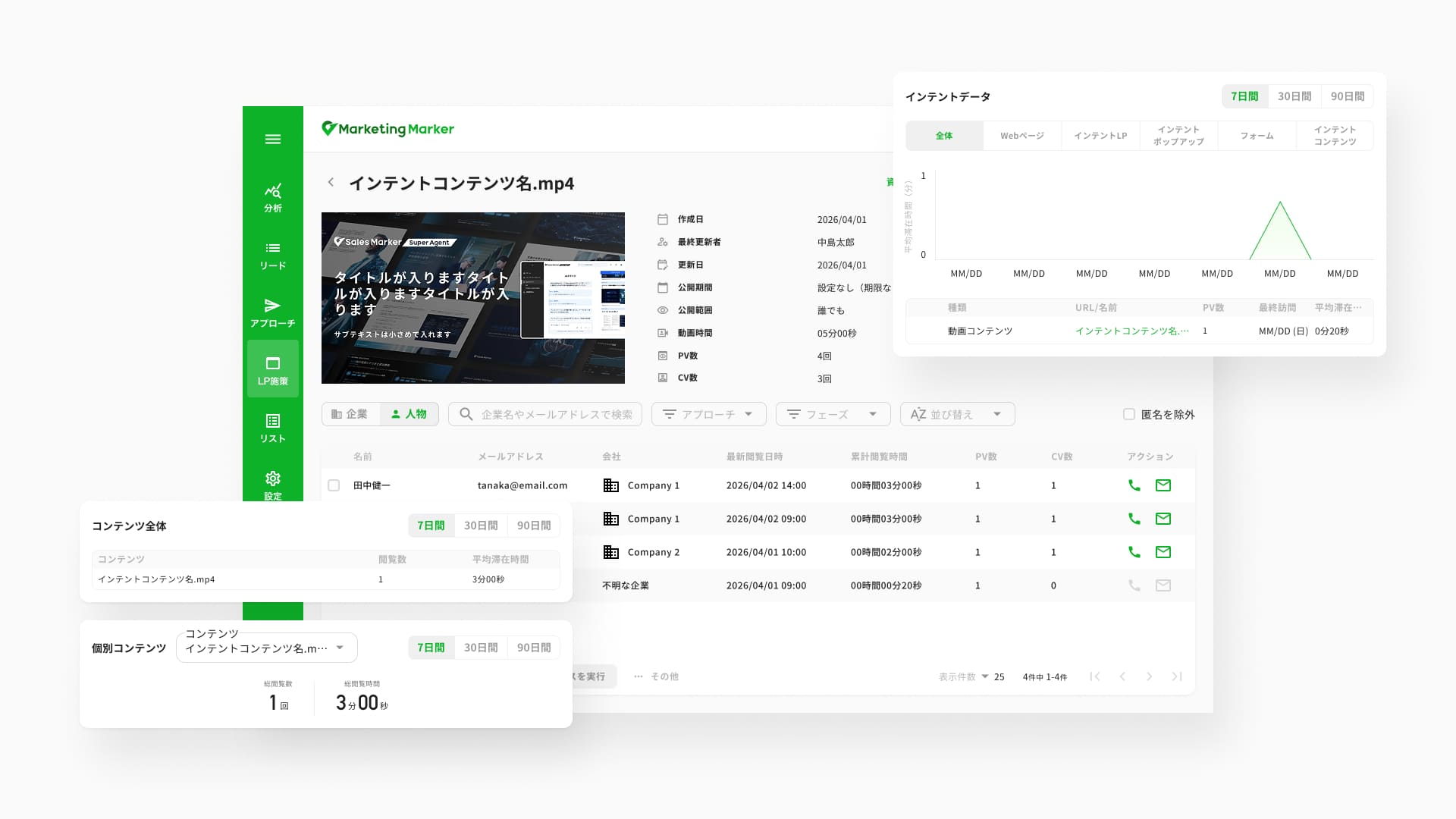
Intent Content — captures lead information by offering access to preview documents or videos.
-
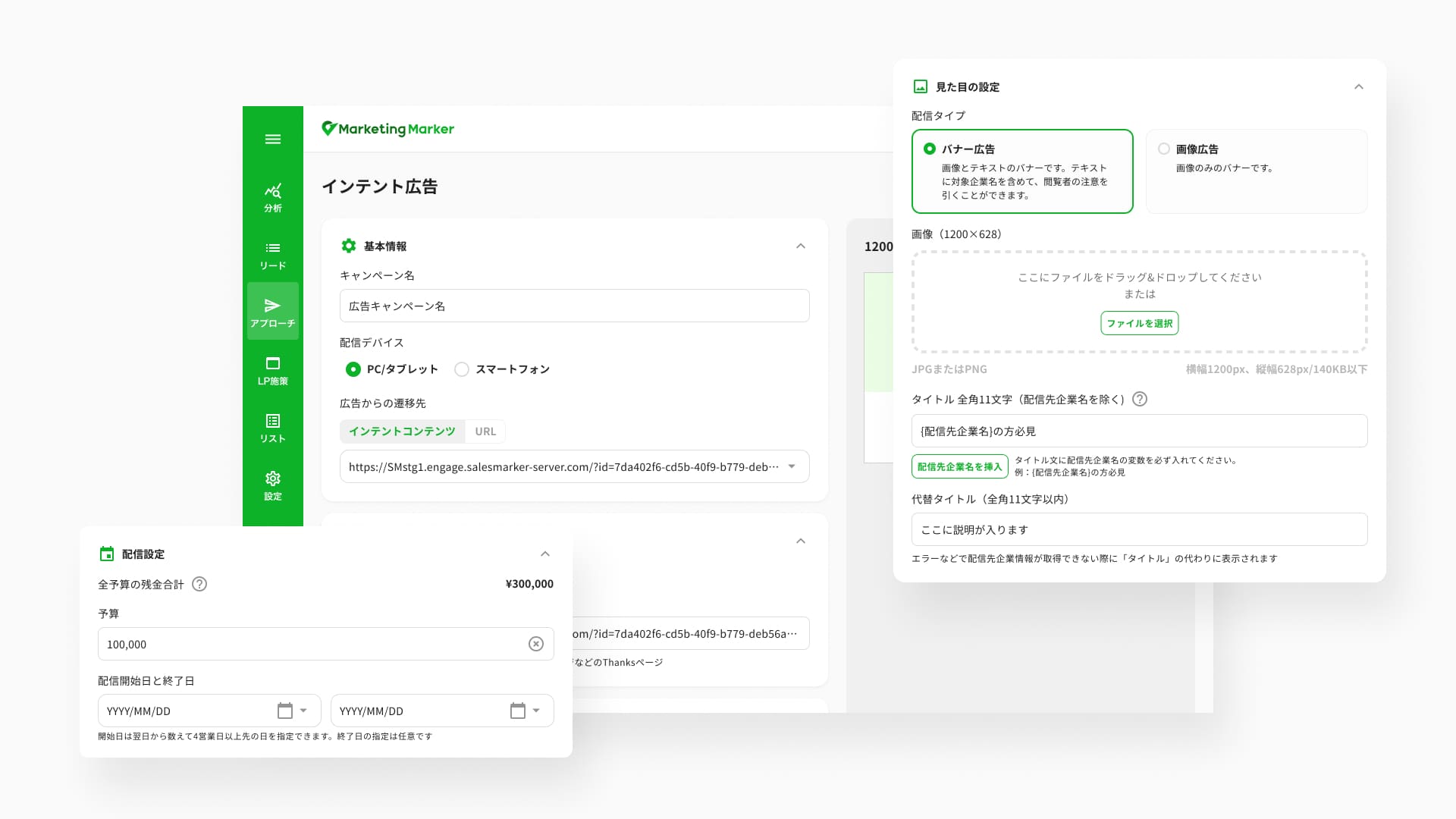
Intent Ads — leverages intent data to deliver targeted display ads to specific customer segments.