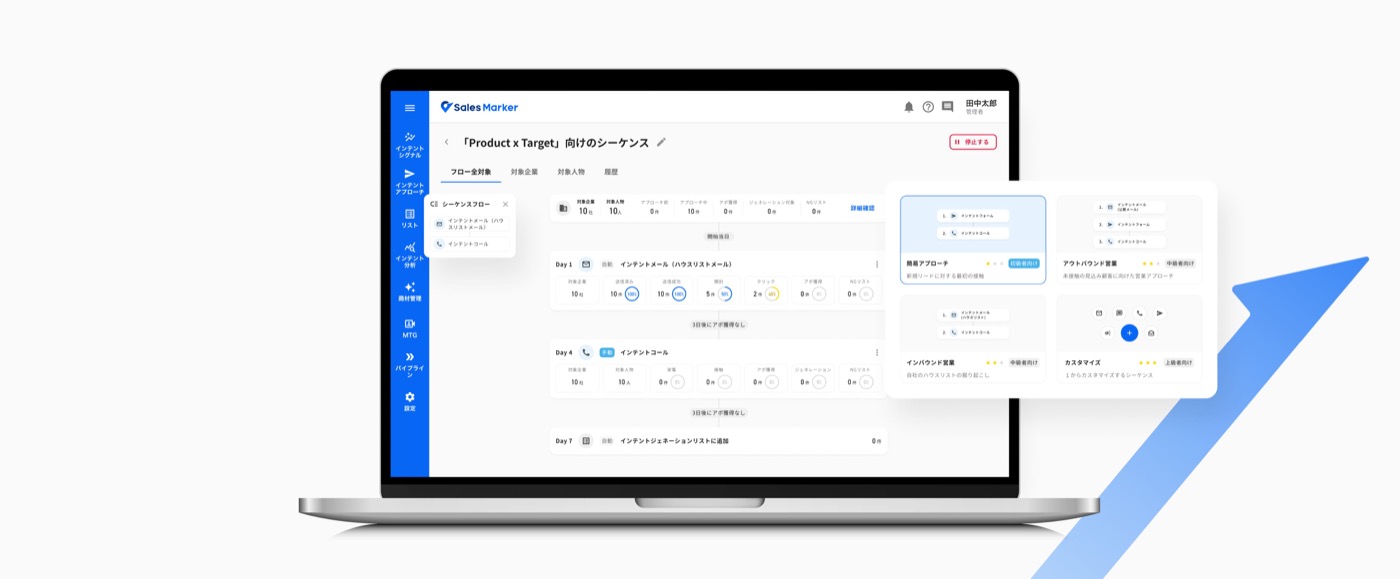
Sequence: redesigning multi-channel outreach automation at Sales Marker
Over 2+ years as Lead Product Designer across Sales Marker's Signal and Approach teams, I owned Sequence — the platform's core outreach-automation feature — from its first launch through a full revamp.
What is Sales Marker
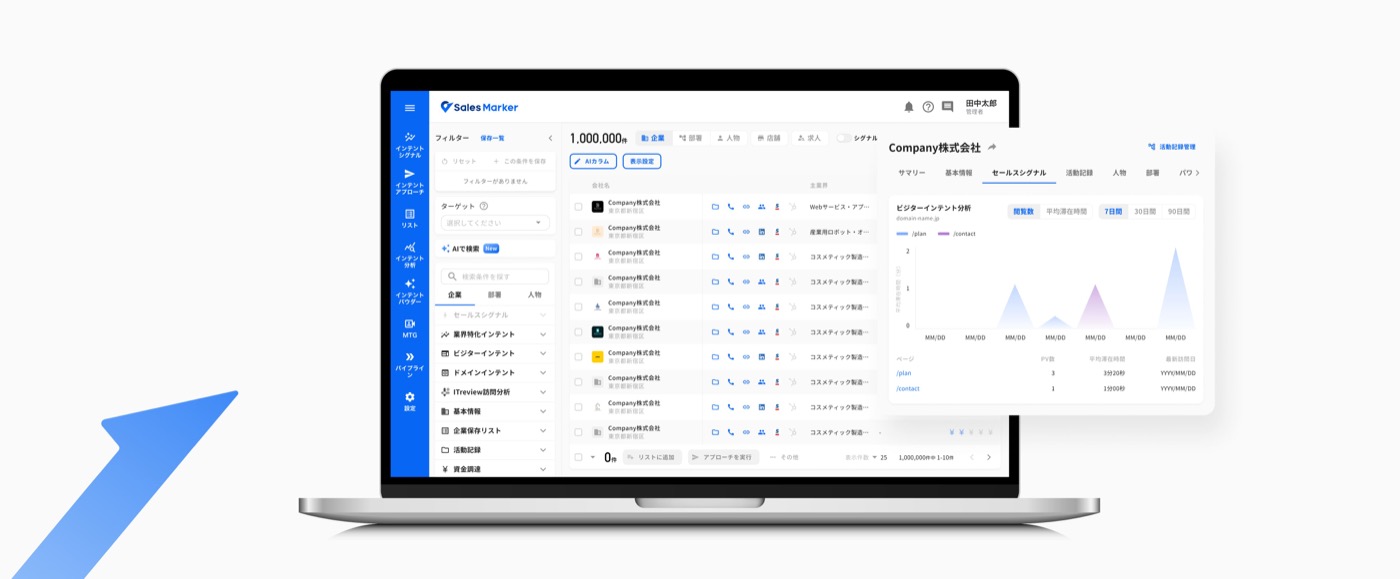














Sales Marker is a B2B sales intelligence and automation platform. It uses AI and "intent data" — behavioral signals like web searches — to identify companies actively interested in a product, so sales teams can reach out at the right moment.
It's built for B2B companies with an active new-business function, across industries like SaaS, HR/recruitment, M&A, and sales outsourcing.
Two teams, one core workflow
As a Product Designer, I was the primary design owner, contributing across the entire product lifecycle and collaborating closely with Product Managers, Engineers, and QA.
I was part of two Product Teams: the Signal team, responsible for intent data pages, lead lists, product management, and the AI dashboard; and the Approach team, responsible for Sequence and multi-channel outreach tools across email, calls, SNS, forms, ads, and letters.
Each team included a PDM, a tech lead, and dedicated frontend, backend, and QA engineers — 8 people on Signal and 7 on Approach.
I contributed to both new feature development and the continuous improvement of existing products, including redesigns and maintenance. We worked in a fast-paced startup environment, with rapid iteration cycles driven by continuous user feedback and evolving sales needs.
- Signal teamQA · 3 FE · 2 BE · Lead Tech · PDM
- Approach teamQA · 2 FE · 2 BE · Lead Tech · PDM
Outreach was manual, fragmented, and hard to scale
Customer insights across Sales Marker revealed recurring pain points. Customer case studies highlighted similar challenges across sales teams:
- Foonz struggled to reproduce successful sales approaches and avoid bias when selecting prospects.
- GO spent significant time identifying and prioritizing prospects, leaving less time for outreach.
- DMM.com lacked visibility into which prospects actually had an active need, making targeting and timing difficult.
Across these use cases, sales teams relied heavily on manual follow-ups and individual experience. They needed a way to identify the right prospects, reach out at the right moment, and scale personalized outreach more consistently.
From a fixed, dense flow to something flexible
Looking at the first launch Sequence flow, three main problems stood out.
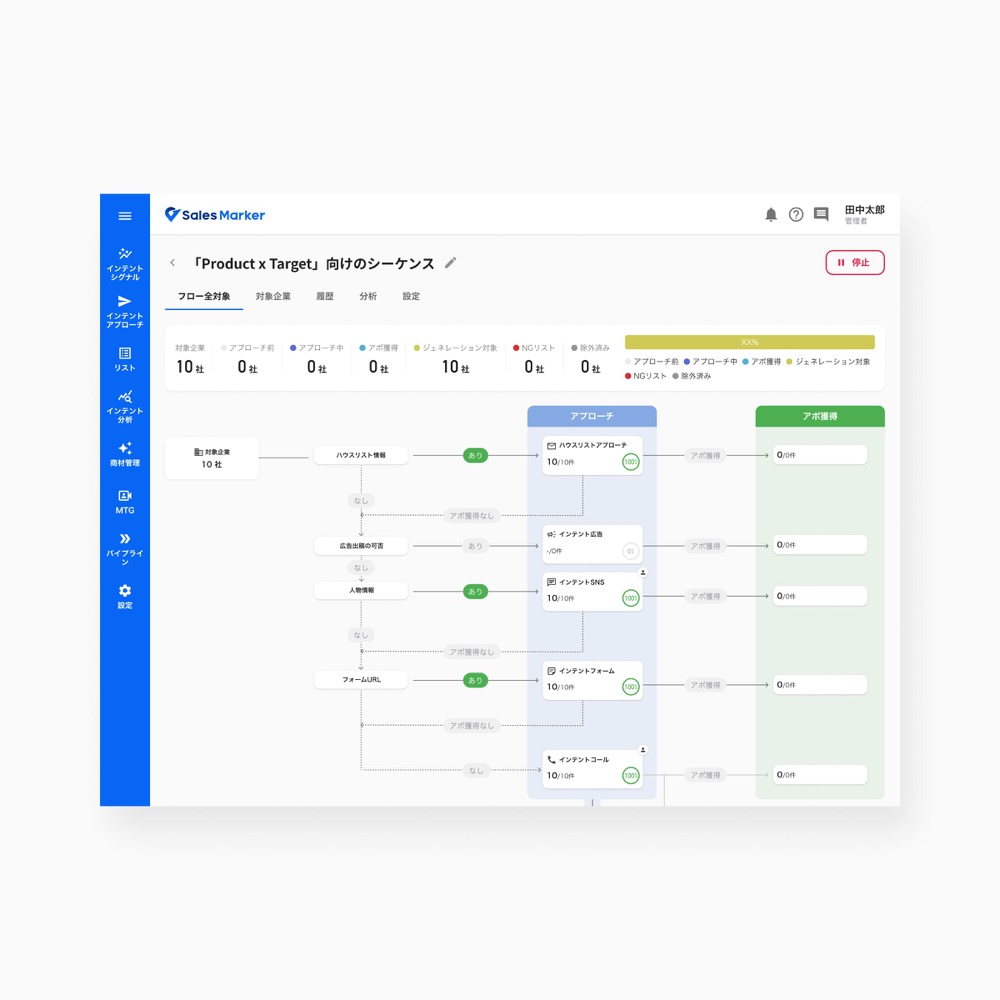
- The layout required users to read both vertically and horizontally to understand the execution path.
- The steps were fixed, limiting users' ability to adapt a sequence to their own sales process.
- Although each node was clickable, the interaction was not immediately obvious.
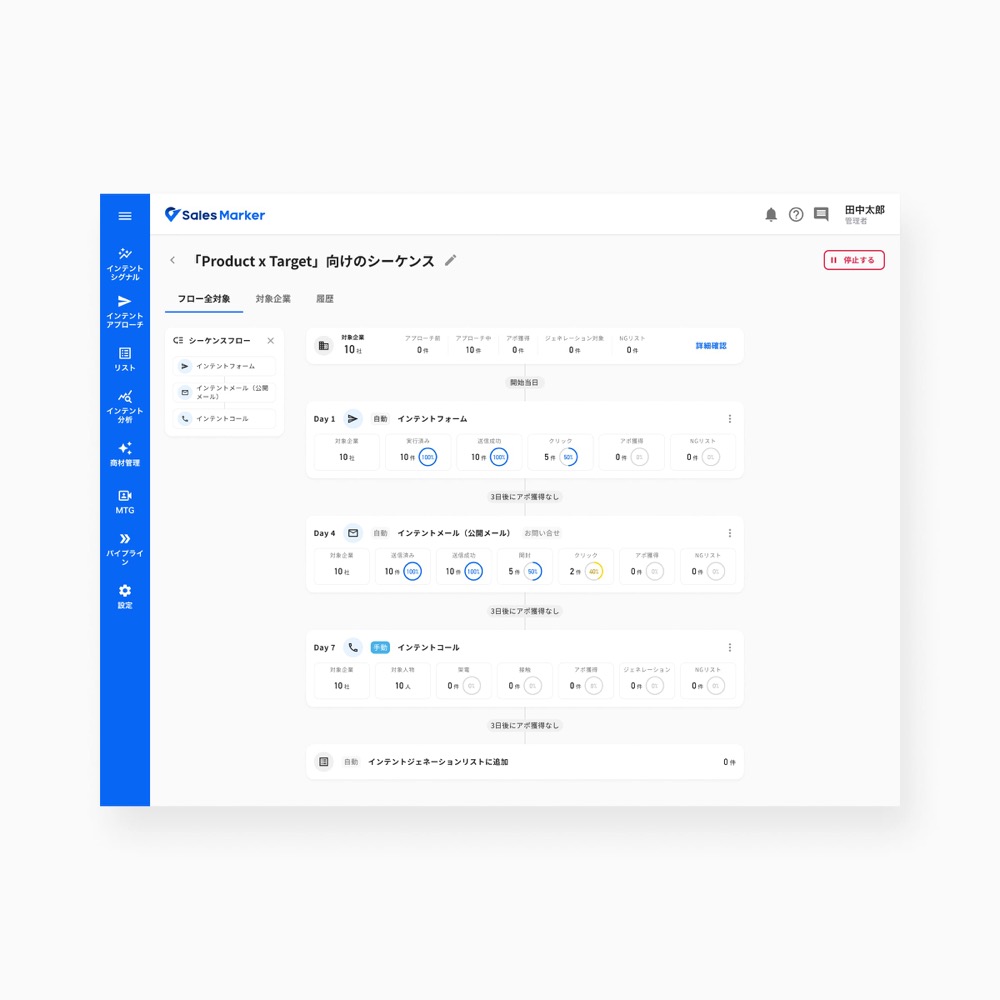
- Redesigned as a vertical timeline reflecting the linear progression of a sequence, and aligned with familiar outreach tools such as Apollo and HubSpot.
- Added flow customization — configurable steps, intervals, and triggers — based on feedback from multiple users.
- Simplified the settings experience to reduce reliance on Customer Support and give users more autonomy.
What changed, screen by screen
Sequence setting
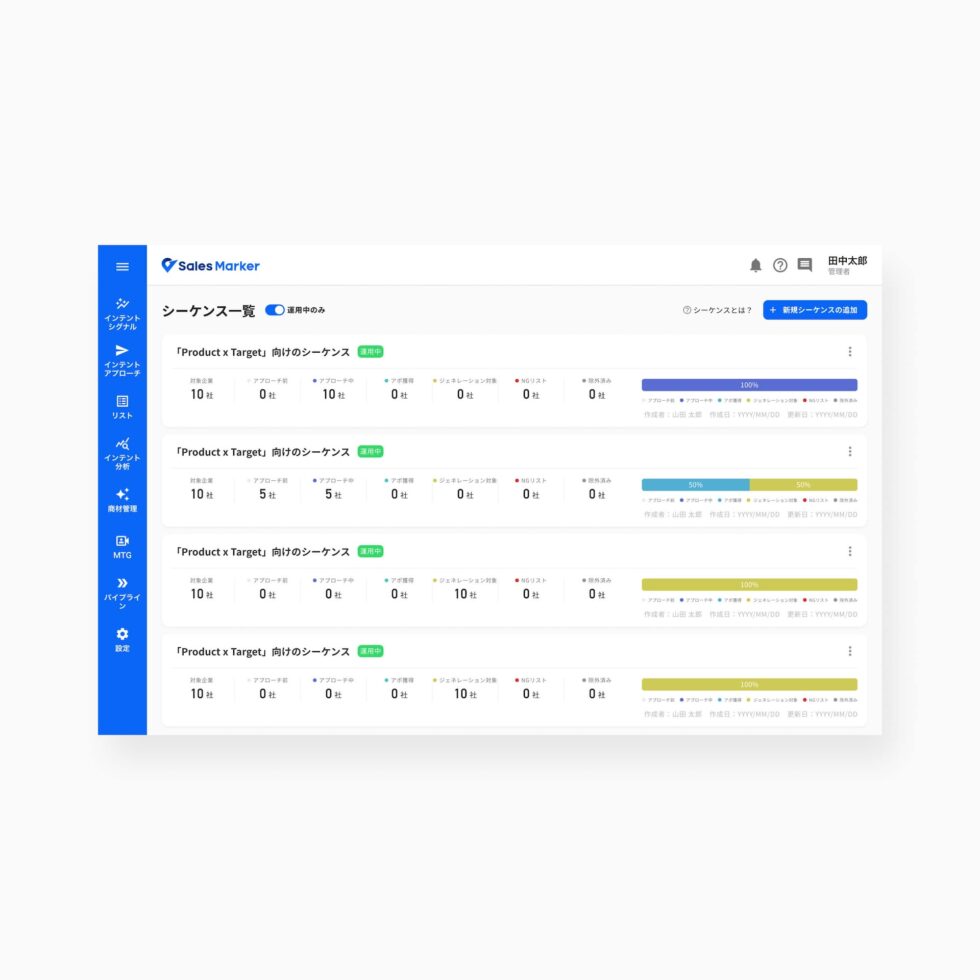
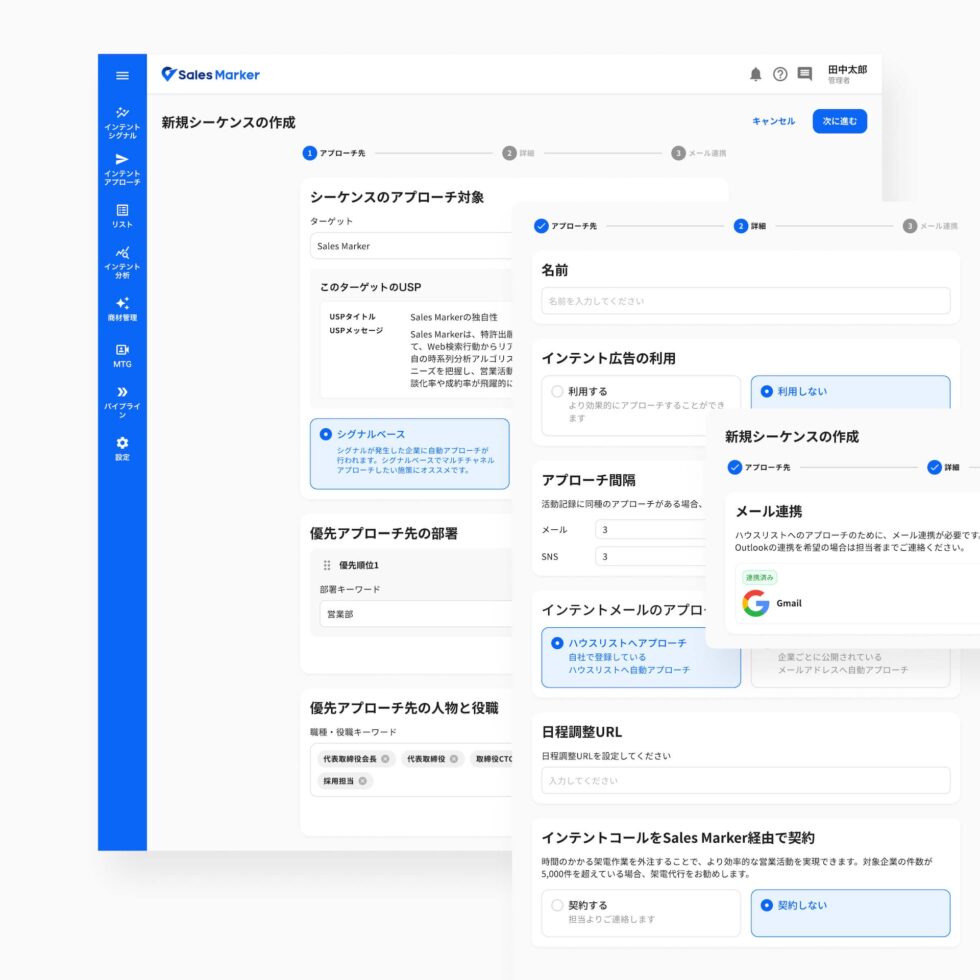
- The sequence list lacked visibility — users couldn't quickly distinguish sequences, see the total count, or understand status.
- The creation flow grouped unrelated settings into a single step (name, approach intervals, call contract).
- The setting was heavy and gave no guidance on what to set or why.
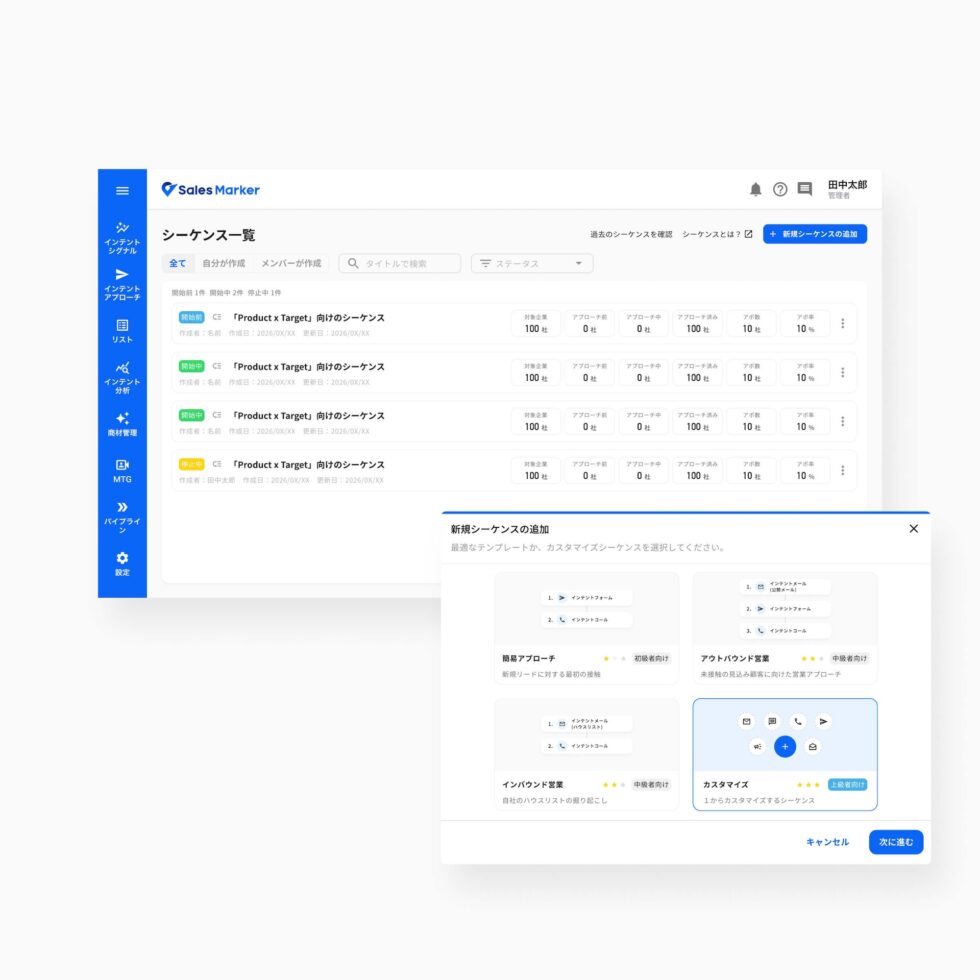
- I improved list management with filters, search, and quick status recognition, plus a hover preview of the flow without opening each sequence.
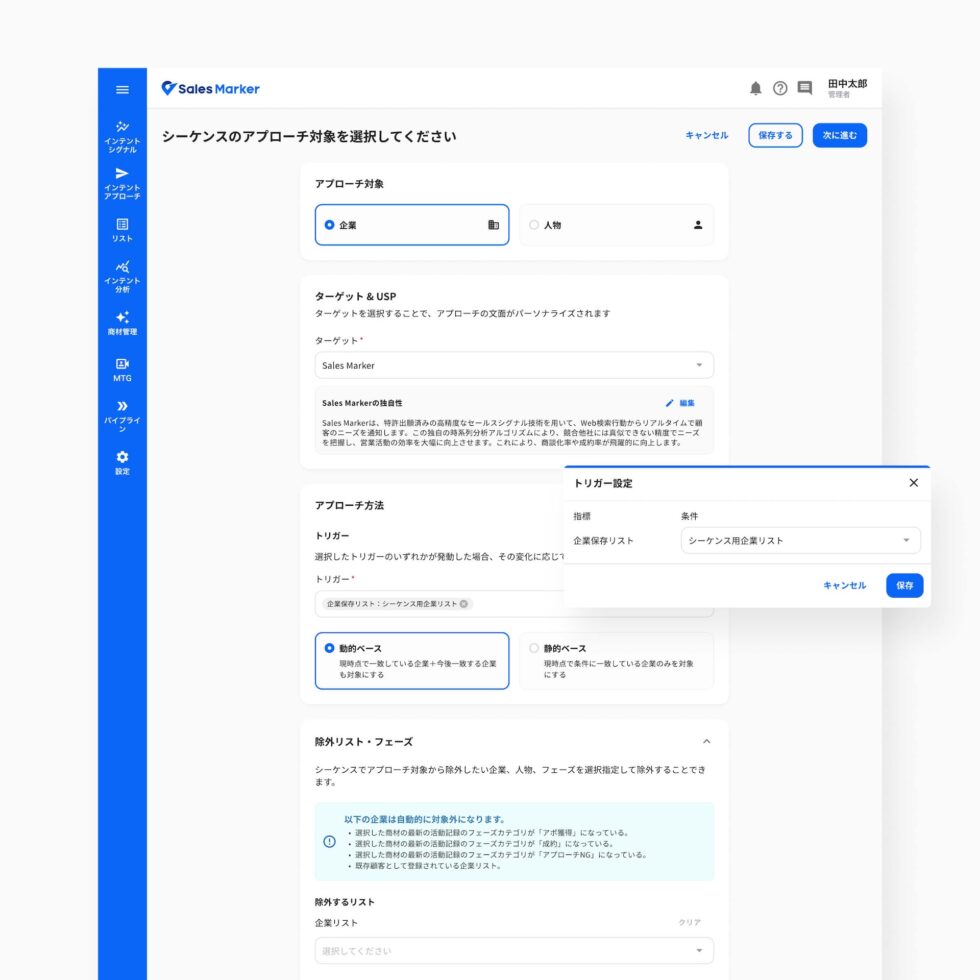
- I simplified the creation flow with templates and a one-step, target-based configuration.
- Users can define the target as a company or a person, and choose from multiple trigger types for more flexible, personalized approach flows.
Sequence flow
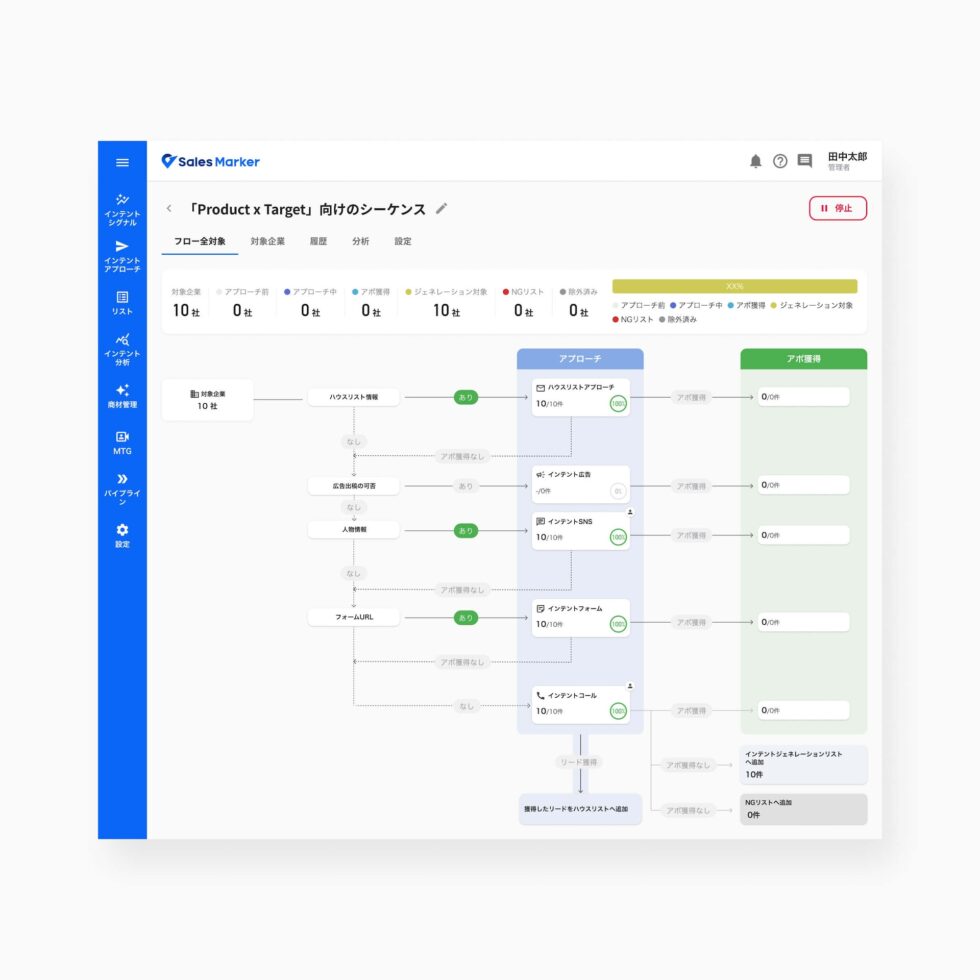
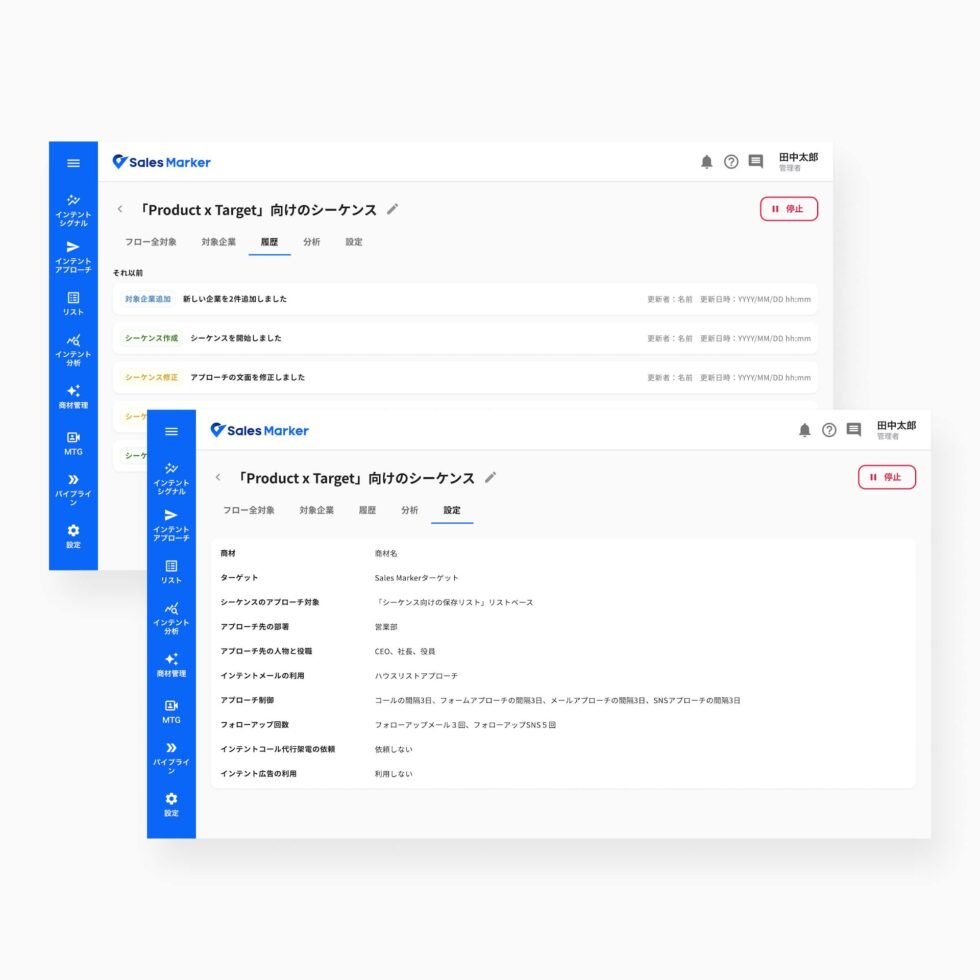
- The flow was visually dense and hard to read as a whole.
- Reading both vertically and horizontally made the execution path harder to follow.
- Operational status wasn't clearly communicated.
- Steps were fixed, so users couldn't customize the structure.
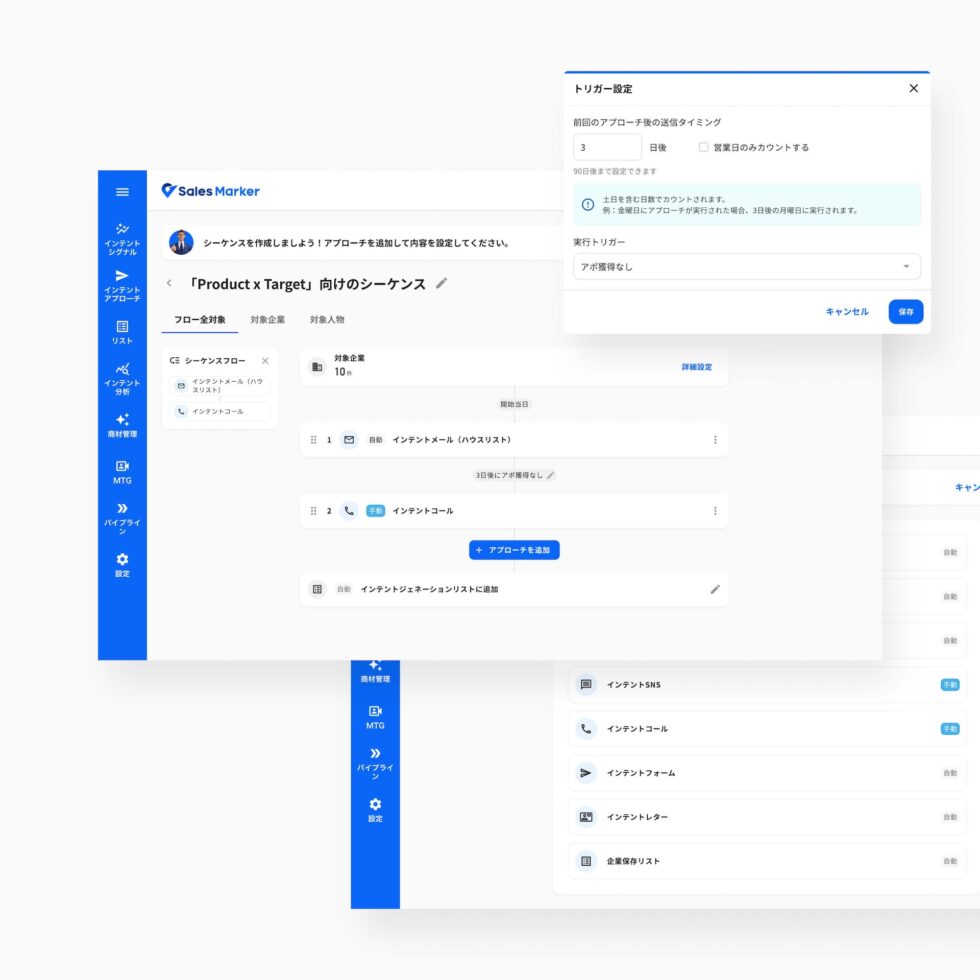
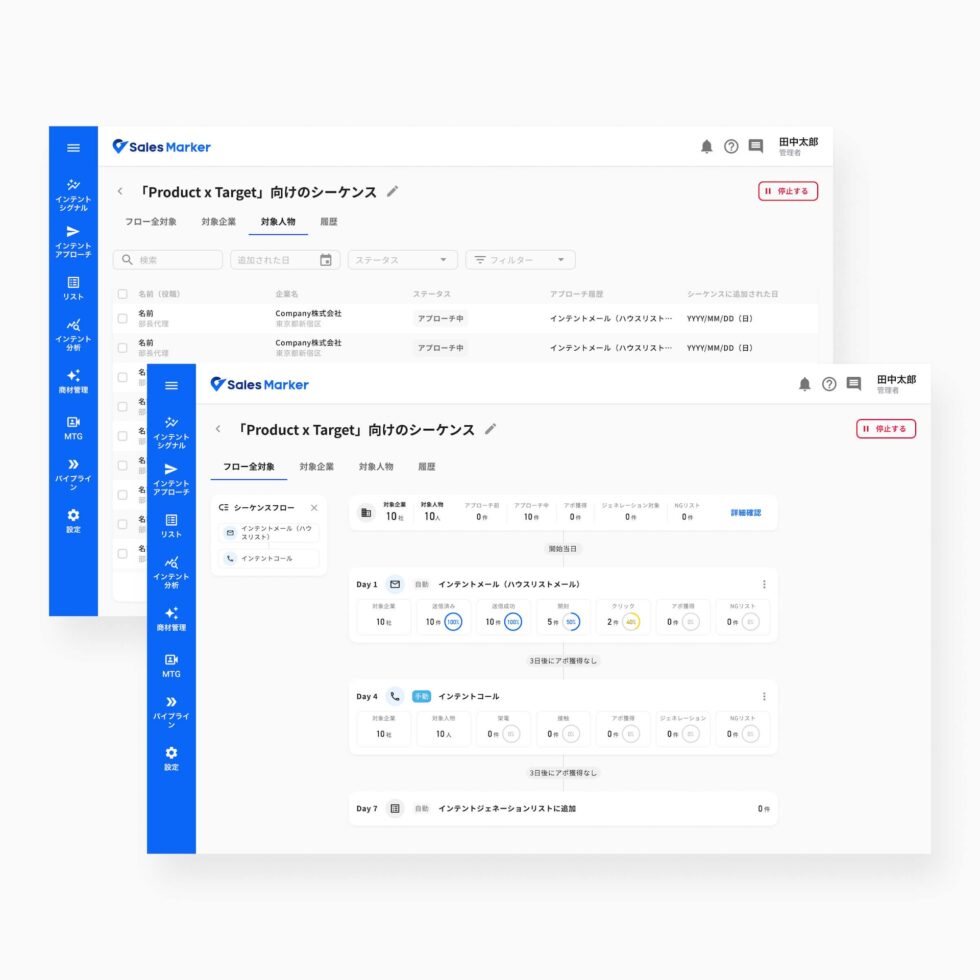
- I redesigned the flow as a vertical workflow, making the execution path easier to follow.
- Users can add steps and build fully custom sequences.
- Users configure the interval and triggers between each step for more flexible automation.
- I introduced two flow modes: edit before activation, and monitor with real-time execution data once active.
Approach detail page
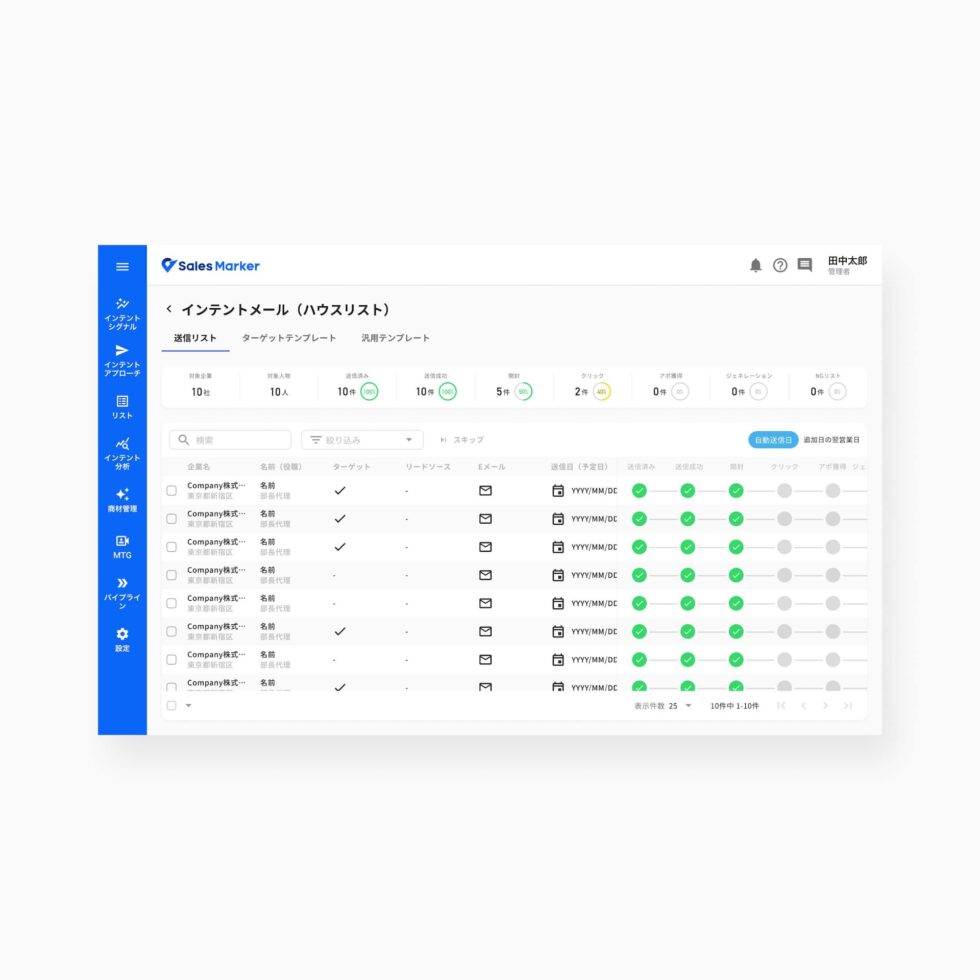
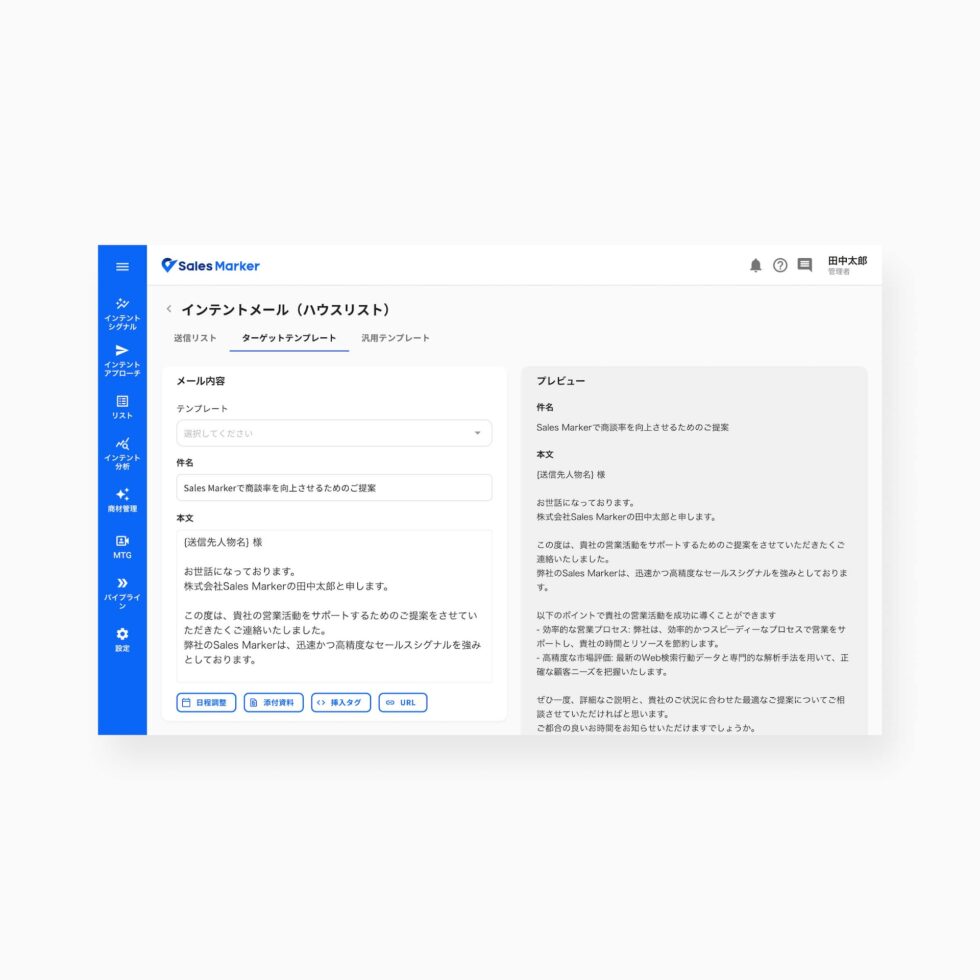
- The sending list table showed optional columns (target, lead source), muddying the information hierarchy.
- The Target and General Template tabs served overlapping functions, creating confusion.
- Content type was limited to text email.
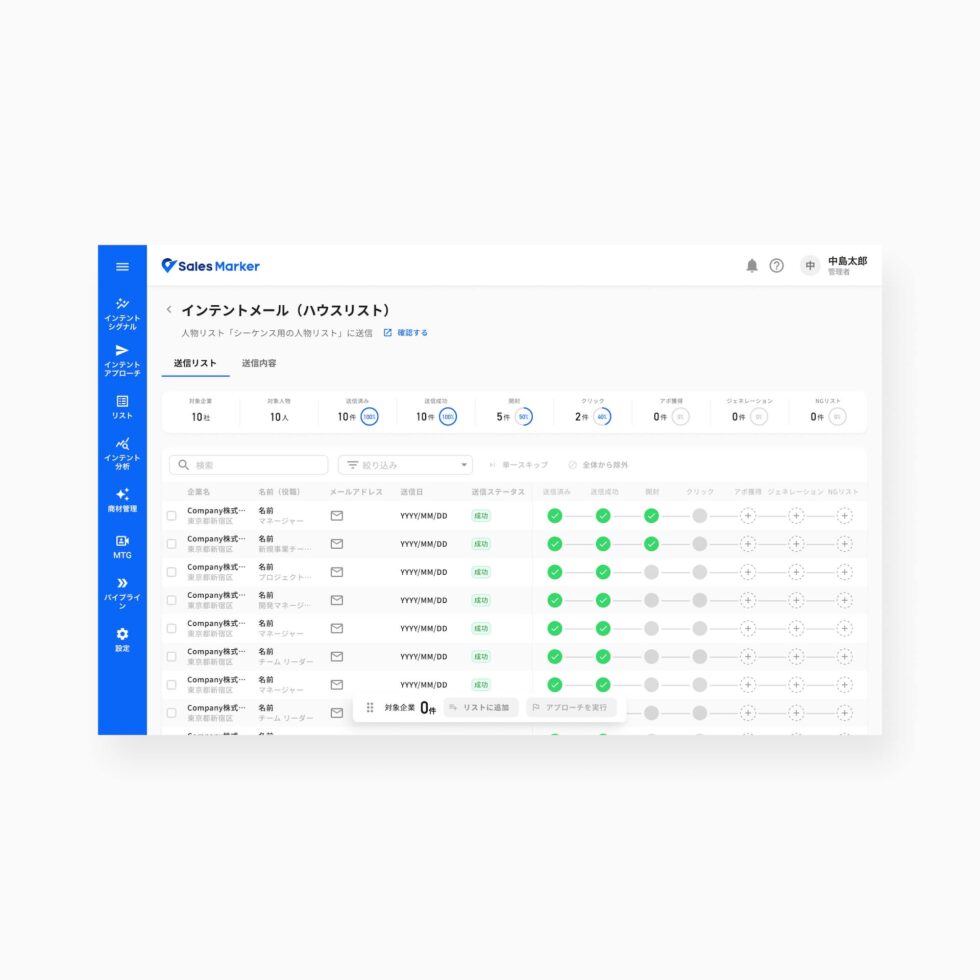
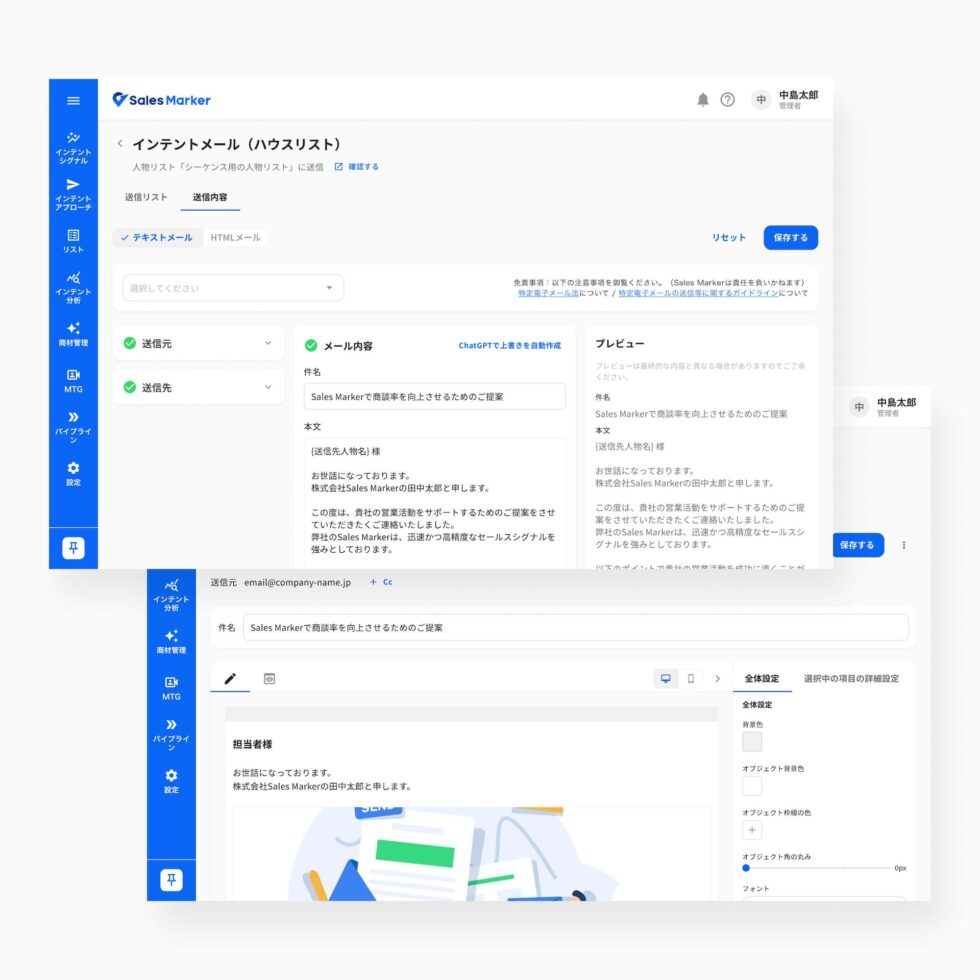
- I simplified the sending list to essential information only, improving readability and focus.
- I unified the template flow into a single template based on the selected target.
- Users can create a new list or start another approach channel directly from the sending list, and choose text or HTML email.
Working with the team
I worked closely with the PDM to prioritize what shipped each cycle, and with frontend and backend engineers to assess feasibility and define implementation scope.
Through daily stand-ups and ongoing discussions, we continuously aligned on product and implementation decisions. Weekly reviews gave us the opportunity to share progress, incorporate feedback from customers and the Sales team, and iterate and adapt quickly.
What changed
The redesigned Sequence gave users a clearer, more flexible way to automate outreach: less manual repetition, more consistent lead journeys, and — with the move to a vertical, real-time-aware flow — a clearer view of what's actually running and when.
These improvements were validated through user testing conducted before launch, as well as feedback collected by the Customer Support team from users actively working with the product. This helped us identify friction points early and refine the experience before release.
Where Sequence is headed
The next step for Sequence is AI-assisted creation: generating a complete sequence from a stated objective, including the target audience, channel mix, step intervals, triggers, and message content.
The team is also taking manual configuration further by introducing conditional branching. Users will be able to define different paths based on how a prospect responds to a trigger. For example:
Email sent → Email opened → Branch 1
Email sent → Email not opened → Branch 2
This will allow teams to build more adaptive outreach journeys that respond dynamically to prospect behavior.
Other contributions
-
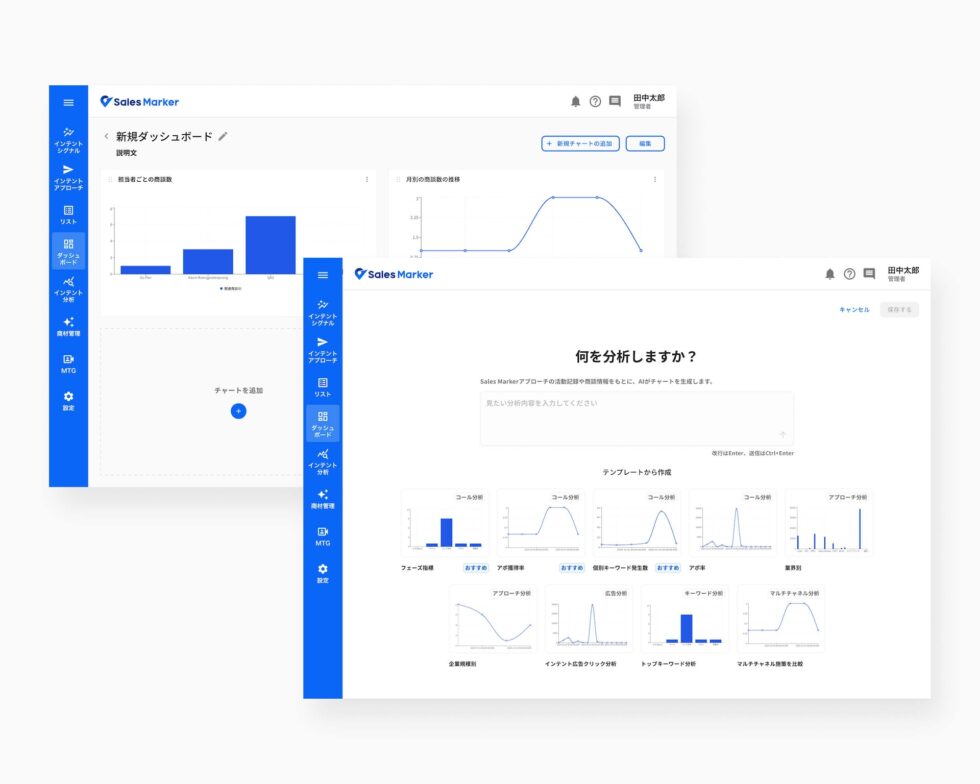
AI-powered dashboard — a customizable dashboard where users generate charts from natural-language prompts, then refine them manually.
-
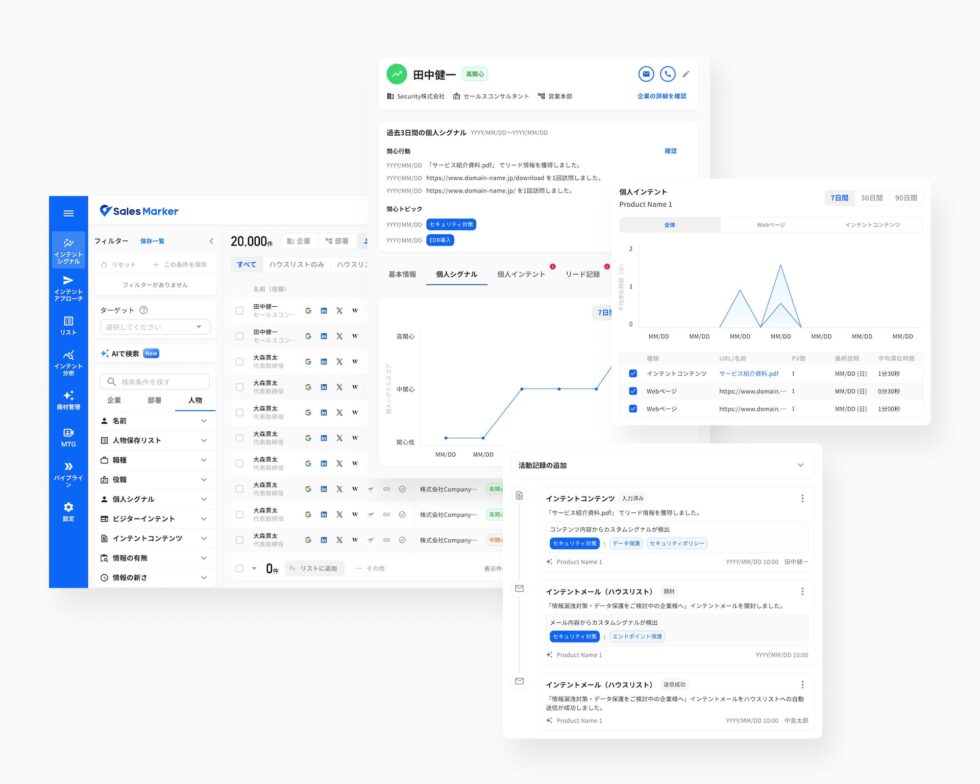
Lead profile — reorganized around key behaviors and intent signals, helping reps spot the right moment to engage a hot lead.
-
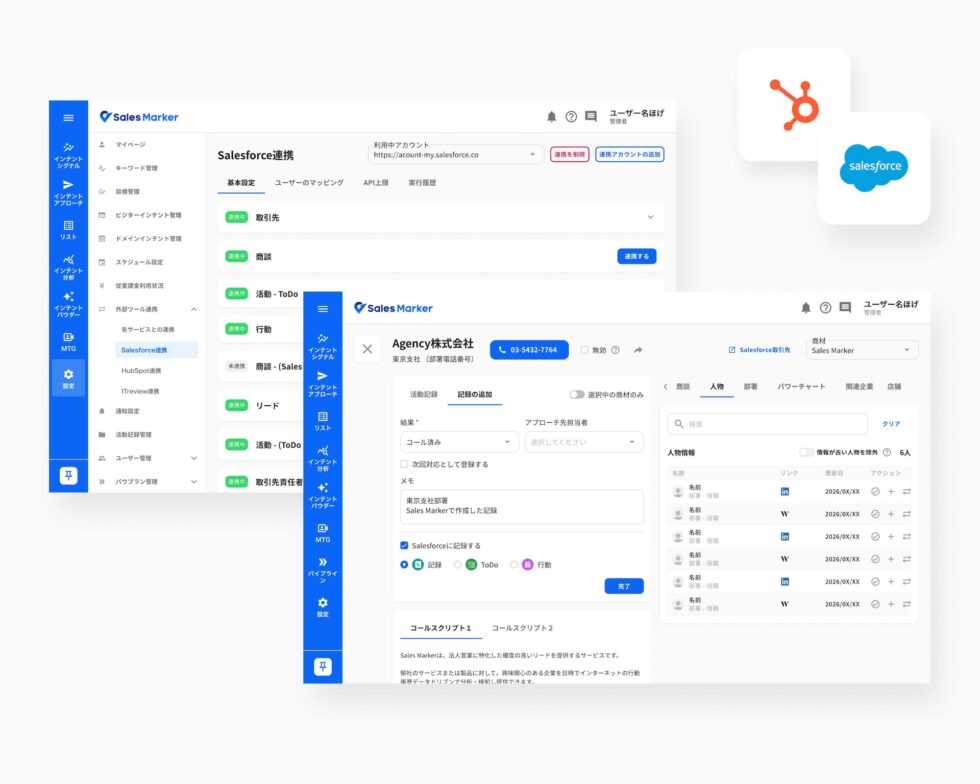
CRM integrations — clearer sync visibility and consistent data across Salesforce and HubSpot.
-
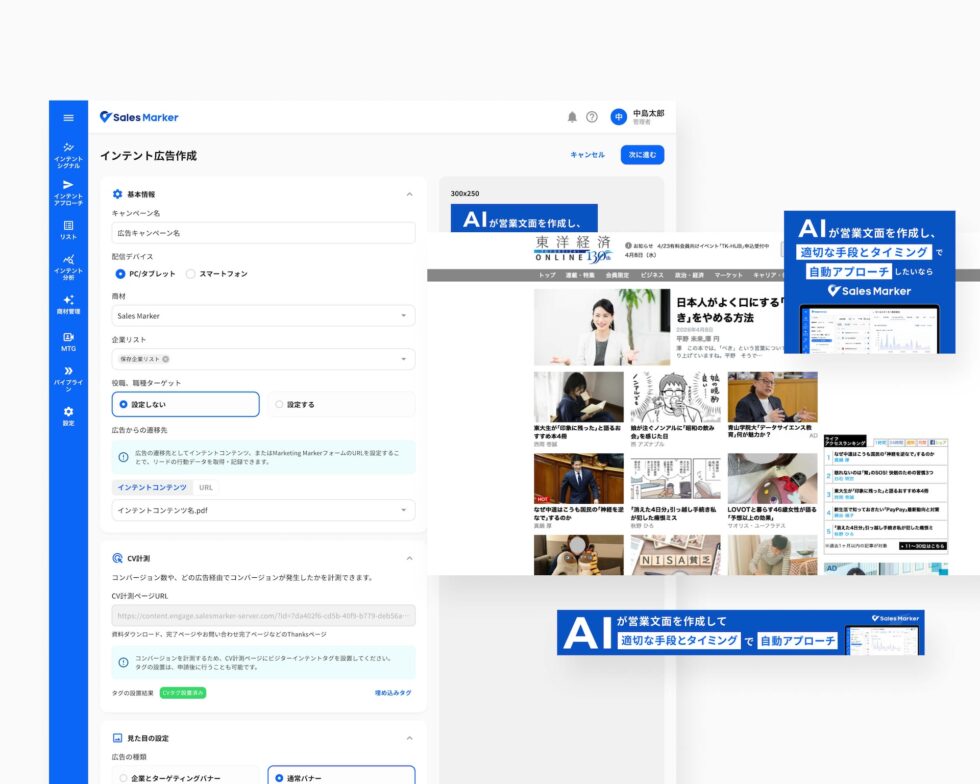
Ad retargeting — connected to a third-party ad platform to publish campaigns and retarget high-interest prospects from their engagement data.